|
VOOZH | about |
|
VOOZH | about |
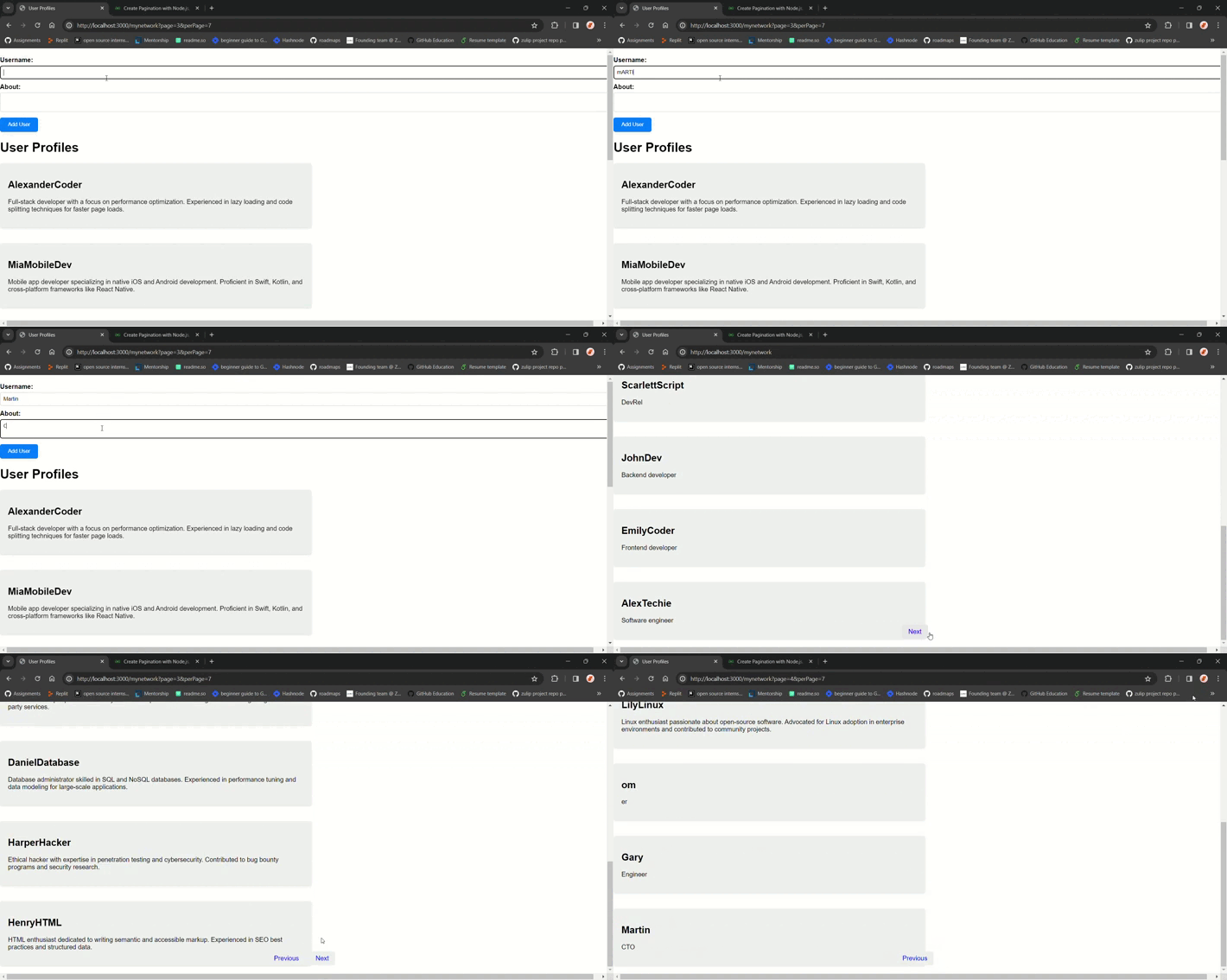
In this article, we will dive into the process of implementing pagination in our web application using NodeJS, MongoDB, Express, and EJS for dynamic HTML rendering. Additionally, we'll enhance the visual appeal of our pagination controls with CSS. Our focus will be on creating a user profile system where users can create a new profile and scrolling beyond a specified limit prompts navigation options like 'Next' and 'Previous' to seamlessly explore more users.
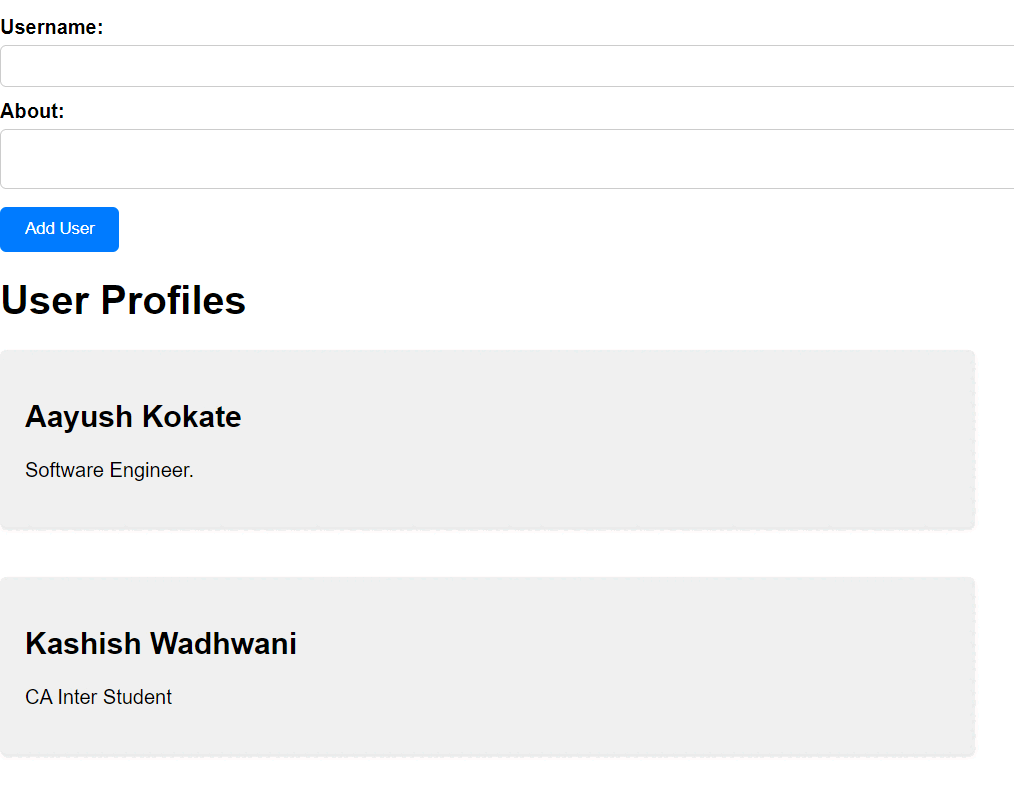
Output Preview: Let's take a look at how our final project will appear
👁 Screenshot-2024-03-23-032850
Pagination is a crucial feature in web development allowing us to split large sets of data into smaller, more manageable chunks for display. In our project, we'll be implementing pagination to enable users to navigate through a long list of user profiles. By breaking these profiles into multiple pages, we'll not only enhance the user experience by making content easier to digest but also improve the performance of our web application by reducing the amount of data loaded at once.
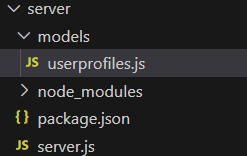
Step 1: Set up your project.
mkdir project-name
cd project-name
npm init
Step 2: Install necessary packages using the following command.
npm install express mongoose ejs path dotenv body-parserThe updated dependencies in package.json file :
"dependencies": {
 "dotenv": "^16.4.5",
 "body-parser": "^1.20.2",
 "ejs": "^3.1.9",
 "express": "^4.18.3",
 "mongoose": "^8.2.2",
 "path": "^0.12.7"
 }
Steps to Run Application:
Step 1: Run the application using the following command from the root directory of the project:
npm start Step 2: Type the following link in your browser
http://localhost:3000/mynetwork