|
VOOZH | about |
|
VOOZH | about |
In this article, we build a student management student which will have features like adding students to a record, removing students, and updating students. We will be using popular web tools NodeJS, Express JS, and MongoDB for the backend. We will use HTML, CSS, and JavaScript for the front end. We'll go through every step to create this application.
Output Preview: Let us have a look at how the final output will look like
👁 Screenshot-2024-02-28-220508
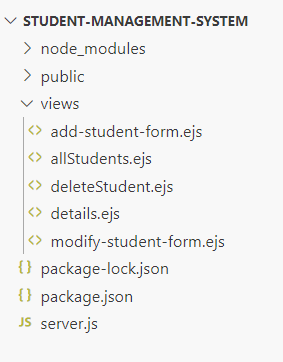
allStudents.ejs: Displays all student records.add-student-form.ejs: Form for adding a new student.modify-student-form.ejs: Form for updating student information.deleteStudent.ejs: Form for deleting a student.students_collection schema for student records.Student model.Step 1: Create a server using the following command in your terminal.
npm init -yStep 2: Install the necessary package in your application using the following command.
npm install express mongoose ejsStep 3: Open MongoDB Atlas, and get the connection string using which we will connect our NodeJS application with MongoDB and perform CRUD operations. To get the connection string, go to Database in MongoDB atlas dashboard, then click on connect.
👁 Screenshot-2024-02-28-215410
The updated dependencies in package.json file will look like:
"dependencies": {
 "express": "^4.18.2",
 "ejs": "^3.1.9",
}
Example: Below is an example of Student management system using ExpressJS and NodeJS.
Start your application using the following command.
node server.jsOutput: