|
VOOZH | about |
|
VOOZH | about |
A view engine is a software component that allows the rendering of dynamic content onto a web page. It acts as a bridge between the server side and the client side. When the user accesses any webpage then the server responds to them with dynamic pages which is possible only because of the view engine. In this article, we will be covering full details about the view engine and how it works.
First of all make sure node.js is installed on your system. Then, open your terminal and run the following command to install the necessary dependencies:
npm install express ejs{
"name": "add_css_to_ejs",
"version": "1.0.0",
"description": "",
"main": "index.js",
"scripts": {
"test": "echo \"Error: no test specified\" && exit 1"
},
"author": "\"GFG\"",
"license": "ISC",
"dependencies": {
"ejs": "^3.1.9",
"express": "^4.19.2"
}
}
Then, create file name app.js where you will write your server code.
// app.js

const express = require('express');
const app = express();
Set EJS as the View Engine. In Express, you can set the default view engine by using the app.set() method. We'll set EJS as our view engine.
// Set EJS as the view engine
app.set('view engine', 'ejs');
Next step is to define a route that renders a dynamic HTML page using an EJS template.
// Define a route to render dynamic content
app.get('/', (req, res) => {
 // Sample data
 const user = { name: 'John', age: 30 };

 // Render the 'index.ejs' template and pass data to it
 res.render('index', { user });
});
<!-- index.ejs -->

<!DOCTYPE html>
<html lang="en">
<head>
 <meta charset="UTF-8">
 <meta name="viewport" content="width=device-width, initial-scale=1.0">
 <title>EJS Example</title>
</head>
<body>
 <h1>Welcome <%= user.name %>!</h1>
 <p>You are <%= user.age %> years old.</p>
</body>
</html>
These code will help you to start the server at 3000 port locally in your system.
// Start the server
const PORT = process.env.PORT || 3000;
app.listen(PORT, () => {
 console.log(`Server is running on port ${PORT}`);
});
You can do it by executing `node app.js` in your terminal. it will allow you to access that HTML file that you have created above on your local server.
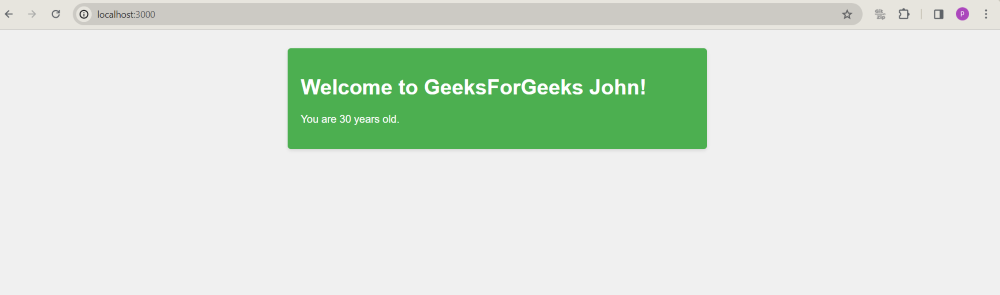
node app.jsNow, open your web browser and navigate to http://localhost:3000.
👁 Screenshot-2024-04-10-210006
Example: This example shows the use of EJS view engine.
Output: