What is Callback Hell and How to Avoid it in NodeJS?
Last Updated : 9 Sep, 2025
Callback hell in Node.js refers to the situation where multiple nested callbacks are used to handle asynchronous tasks, resulting in code that looks like a “pyramid of doom.” It makes the code hard to read (40%), difficult to debug and maintain (35%), and prone to errors (25%).
This problem commonly arises when each asynchronous function depends on the result of the previous one, leading to poor code structure and reduced scalability.
Drawbacks of Callback hell
Here are the main points explaining why callback hell is a problem:
Poor Readability: Deeply nested callbacks make the code harder to read and understand.
Difficult Debugging: Tracing errors becomes challenging due to the complex nesting of functions.
Complicated Error Handling: Error handling is repeated in each callback, increasing the chances of missing errors.
Scalability Issues: Adding new features or modifying existing code becomes difficult as the code grows.
Code Maintainability: Maintaining deeply nested code is time-consuming and error-prone.
Unclear Asynchronous Flow: The sequence of asynchronous tasks becomes harder to follow, leading to potential bugs
Difficult Debugging: Error handling becomes complicated as functions are deeply nested.
Code Readability Issues: The structure looks messy and is hard to maintain.
How to Avoid Callback Hell in NodeJS
To prevent callback hell, developers can use modern JavaScript techniques that improve code readability and maintainability.
Use Named Functions
Instead of defining anonymous functions inside callbacks, use named functions to improve readability.
In this code
It reads three files asynchronously using fs.readFile.
A common readFileCallback handles the result for each file.
If the file is successfully read, its content is logged.
Errors are thrown if the file reading fails.
The order of file reading is not guaranteed.
Use Promises
Promises provide a cleaner way to handle asynchronous operations by avoiding deeply nested callbacks. Promises allow for better chaining of asynchronous tasks, making the code more readable and easier to manage by handling success and failure scenarios more clearly.
In this code
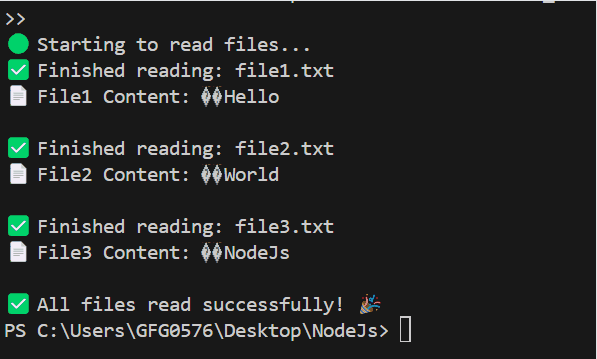
Each file is read using fs.readFile, and its content is logged.
The next file is read only after the previous one completes.
If an error occurs during any file read, it's caught and logged by .catch().
Use Async/Await
Async/Await makes asynchronous code look synchronous, improving readability and reducing complexity. By allowing asynchronous operations to be written in a more natural, sequential flow, Async/Await simplifies error handling and avoids the need for nested callbacks.
In this code
It reads file1.txt, then file2.txt, and finally file3.txt.
Each file's content is logged after it's successfully read.
If any error occurs, it is caught and logged in the catch block.