|
VOOZH | about |
|
VOOZH | about |
Express-session is an Express.js middleware that manages user sessions, storing user-specific data on the server and tracking it via cookies. It’s commonly used for login persistence, authentication, and maintaining state across multiple requests.
Follow these steps to set up and use express-session for managing user sessions in your Express app.
Step 1: In the first step, we will create the new folder by using the below command in the VS Code terminal.
mkdir folder-name
cd folder-name
Step 2: After creating the folder, initialize the NPM using the below command. Using this the package.json file will be created.
npm init-yStep 3: Now, we will install the express dependency for our project using the below command.
npm i expressStep 4: As we need to use the express-session middleware, we need to install it using npm. So for this article, we will be using third-party middleware as a express-session. So install it using the below command.
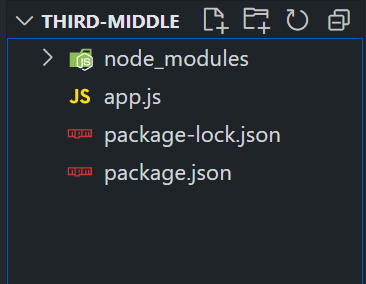
npm i express-sessionProject Structure:
The updated dependencies in package.json file will look like.
"dependencies": {
 "express": "^4.18.2",
 "express-session": "^1.17.3"
}
Example: Write the following code in App.js file
To run the application, we need to start the server by using the below command.
node app.jsOutput: