|
VOOZH | about |
|
VOOZH | about |
When managing databases in PostgreSQL, you may need to delete an existing database that is no longer required. The DROP DATABASE statement is designed for this purpose. It permanently removes the specified database, along with all of its catalog entries and data directories. This action is irreversible, so it must be executed with caution. Only the database owner has the authority to perform this operation, and all connections to the database must be terminated before proceeding.
DROP DATABASE [IF EXISTS] name;
The below rules need to be followed while deleting a database:
Below for the sake of example, we will be looking into our system and deleting a few databases, not in use.
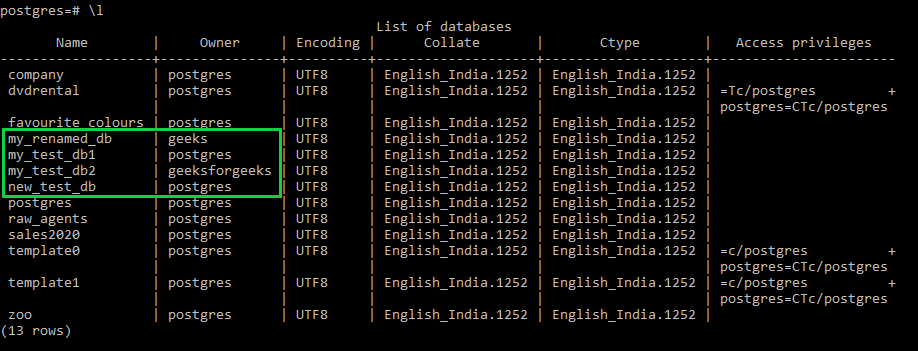
Firstly we check for the available databases in our system using the below command:
\lThis will list our available database as below:
👁 Listing Available DatabasesHere we will be deleting the highlighted databases namely:
We will delete these databases as they are no longer in use.
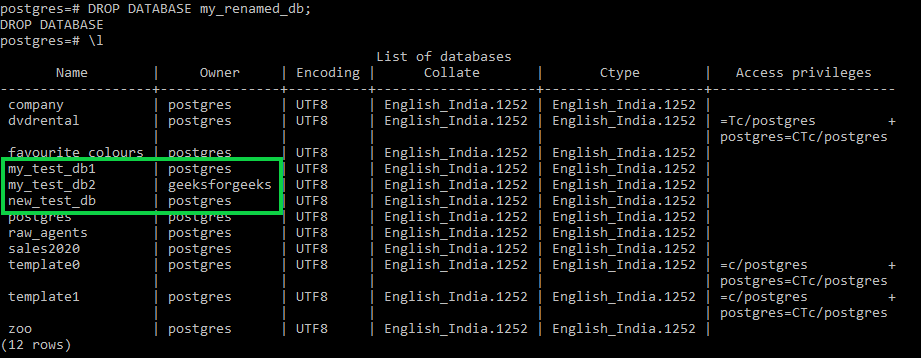
To delete the database 'my_renamed_db', you would use the following command:
DROP DATABASE my_renamed_db;Now if we check for the available database we will notice that the "my_renamed_db" will be missing from the list as shown in the image below:
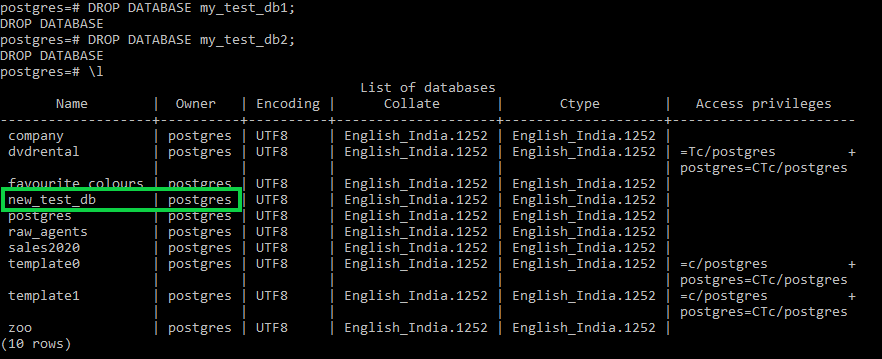
👁 Deleting a Single DatabaseNow we will be deleting two databases namely "my_test_db1" and "my_test_db2" using the below commands:
DROP DATABASE my_test_db1;
DROP DATABASE my_test_db2;
After running these commands, both 'my_test_db1' and 'my_test_db2' will be deleted from your system.
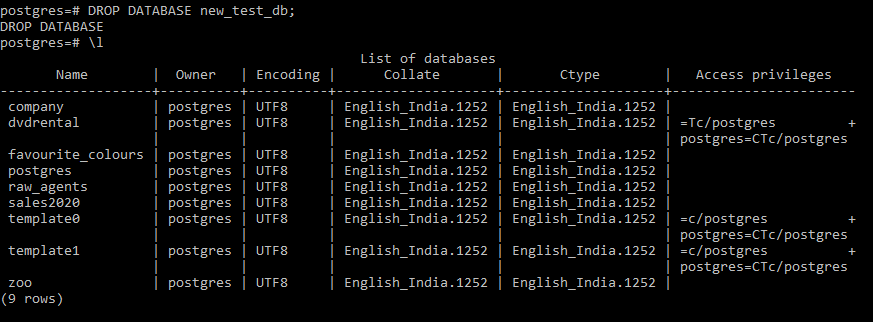
👁 ImageNow we will finally delete the last unused database using the below command:
DROP DATABASE new_test_db;As we check our list of databases we have managed to delete all four of them as intended.
👁 Deleting the Final DatabaseIn addition to the DROP DATABASE statement, PostgreSQL offers a command-line utility called dropdb. This utility program is a convenient way to remove a database directly from the command line, executing the DROP DATABASE statement behind the scenes.
The basic syntax to remove a database using dropdb is:
dropdb [options] database_nameFor example, to delete the 'my_renamed_db' database, you would run:
dropdb my_renamed_dbThis command will have the same effect as the DROP DATABASE statement, permanently removing the specified database.