|
VOOZH | about |
|
VOOZH | about |
In the world of relational databases, PostgreSQL stands out with its robust support for various data types, including the flexible VARCHAR data type. This character data type allows us to store strings of variable length, making it an essential choice for many applications.
In this article, we will explain the PostgreSQL VARCHAR data type, its syntax, key features, and practical examples to enhance our understanding of how to effectively use it in your PostgreSQL database.
The PostgreSQL VARCHAR data type is used to store variable-length character strings. It is defined with a maximum length, expressed as VARCHAR(n), where 'n' represents the upper limit of the string length. If 'n' is not specified, the VARCHAR type behaves similarly to the TEXT data type, allowing for strings of unlimited length.
Syntax
variable_name VARCHAR(n)Let us take a look at an example of VARCHAR Data Type in PostgreSQL to better understand the concept. Let's create a new table(say, 'char_test') for the demonstration using the below commands:
Query:
CREATE TABLE varchar_test (
 id serial PRIMARY KEY,
 x VARCHAR (1),
 y VARCHAR(10)
);

INSERT INTO varchar_test (x, y)
VALUES
 (
 'Geeks',
 'This is a test for char'

 );
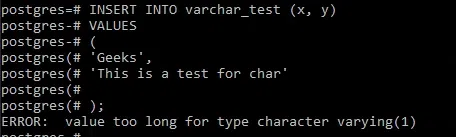
At this stage PostgreSQL will raise an error as the data type of the x column is char(1) and we tried to insert a string with three characters into this column as shown below:
Output
ERROR: value too long for type character varying(1)To fix the error, we need to ensure that the length of the string inserted into the x column does not exceed 1 character.
Query:
INSERT INTO varchar_test (x, y)
VALUES
 (
 'G',
 'This is a test for char'

 );
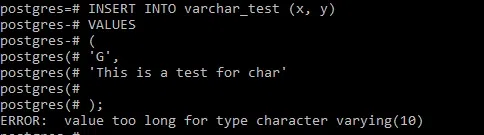
Now, we will get the same error for the y column as the number of characters entered is greater than 10 as shown below:
Output
ERROR: value too long for type character varying(10)y ColumnTo fix this error, we need to ensure that the length of the string inserted into the y column does not exceed 10 characters.
Query:
INSERT INTO varchar_test (x, y)
VALUES
 (
 'G',
 'hello Geek'

 );
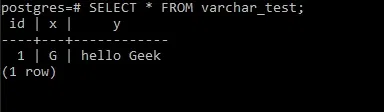
Now that we have managed to successfully assign the values to the character data type, check it by running the below command:
SELECT * FROM varchar_test;Output
substring, length, concat, and many more.