For many years, Python game programmers were limited to the Pygame Module. But, now we have other choices as well i.e Arcade Python Library. The Arcade library is a modern Python Module used widely for developing 2D video games with compelling graphics and sound. Arcade is an object-oriented library. It can be installed like any other Python Package. It was written by Paul Vincent Craven, a computer science professor at Simpson College in Iowa, USA.
Installation
To install this module, just simply run the following command on your command prompt:
pip install arcade
Implementation
The following steps illustrate how to create a basic drawing using an arcade module:
- Import module.
- Specify the parameters for your output screen like width, height, etc.
- Open the window using the inbuilt open_window() in the arcade. This command opens a window with a given size i.e width and height along with the screen title.
Syntax-
arcade.open_window(Width, Height, Title)
- Set a background color (optional). It can be done using set_background_color() method built into arcade
Syntax-
arcade.set_background_color(arcade.color.color_name)
- Tell your module to start drawing using start_render() command which is again built into arcade.
Syntax-
arcade.start_render()
- Start designing, you can use functions already available with arcade to do so.
- Tell arcade module that you have completed the drawing using finish_render().
Syntax-
arcade.finish_render()
- Run your code using run().
Syntax-
arcade.run()
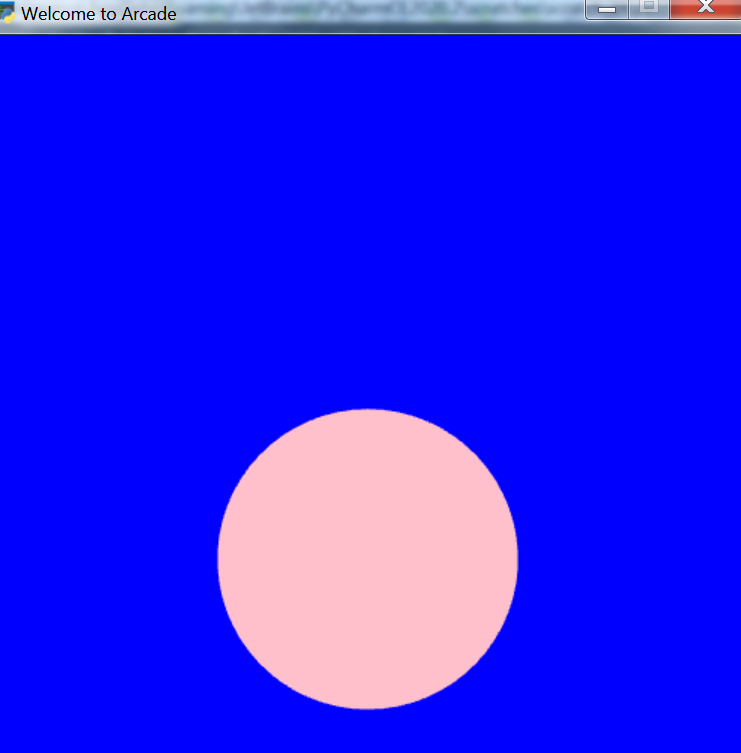
Example 1: Python program that uses arcade to draw a circle.
Output:
👁 Image
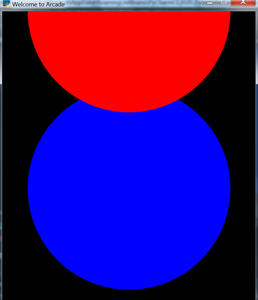
Example 2: Python program that creates a pattern of circles using the arcade
Output:
👁 Image
Arcade is a set of python modules which is a modern Python framework used in designing 2D video games. In Arcade, we have gripping computer graphics and sound libraries in order to design high quality and user-friendly games. Arcade was developed by Paul Vincent Craven. Arcade needs support for OpenGL 3.3+.
Interesting facts about Arcade Library:
- Arcade is built on top of Pyglet and OpenGL.
- In order to replace Pygame, Arcade came into existence.
- Arcade runs on Windows, Mac OS X, and Linux.
- Arcade requires Python 3.6 or newer. It does not run on Python 2.x.
- Arcade needs support for OpenGL 3.3+. It does not run on Raspberry Pi or Wayland. If on Linux, sound support needs at least GLIB 2.29+.
- Arcade uses SoLoud. which Supports panning and volume.
- It is possible to create open-source free, shareware, and commercial games with it.
- Supports Python 3 type hinting.
- Basic drawing does not require knowledge on how to define functions or classes or how to do loops.
- Uses a standard coordinate system you learned about in math. (0, 0) is in the lower left, and not upper left. Y-coordinates are not reversed.
- API documentation for the commands is better.
Active road-map of Arcade version 2 development :
- Version 2.4.3 was released 2020-09-30. It is the latest version of arcade that has Added PyInstalled hook and tutorial, ShapeLists have no longer share position between instances and with GUI improvement.
- Version 2.4.2 was released 2020-09-08. It has GPU transformations with the mouse and Updates downloadable .zip for platformer example code to match current code in documentation and much more.
- Arcade 2.4.1 was released 2020-07-13. Support for defining your own frame buffers, shaders, and more advanced OpenGL programming, PyMunk engine for a platform, etc.