|
VOOZH | about |
|
VOOZH | about |
In today's digital landscape, audio files play a significant role in various aspects of our lives, from entertainment to education. However, extracting valuable information or content from audio recordings can be challenging. In this article, we will learn how to build a Song Transcriber application using Python. Its primary function is to transcribe audio files into text format accurately and efficiently.
Below is the implementation of the Song Transcriptor App Using Python:
First, create the virtual environment using the below commands
python -m venv env
.\env\Scripts\activate.ps1
First, it is essential to install the Whisper library and Streamlit. Streamlit is employed for creating the GUI, while Whisper is utilized for audio whispering. To install these libraries, execute the following commands.
pip install whisper
pip install streamlit
File Structure
Below, are the step-by-step explanation of the code:
Step 1 :Imports and Library Initialization
Below, code imports the necessary libraries. Streamlit is used for creating web applications with simple Python scripts. The 'os' module provides a way to interact with the operating system, and 'whisper' is presumably a library for handling audio-related tasks.
Step 2: Function to Save Uploaded File
below, code function takes an uploaded file and a path as input and saves the file to the specified path. It uses the 'os.path.join' method to create the full file path and writes the file using the 'write' method.
Step 3: Loading Whisper Model
Below, code function initializes and loads a whisper model named "base" and assigns it to the variable 'model'. The loaded model is then used globally in the script.
Step 4: Audio Transcription Function
below, code function transcribes an audio file located at 'mp3_filepath' using the loaded whisper model. It returns the transcribed text from the audio.
Step 5: Main Streamlit Application
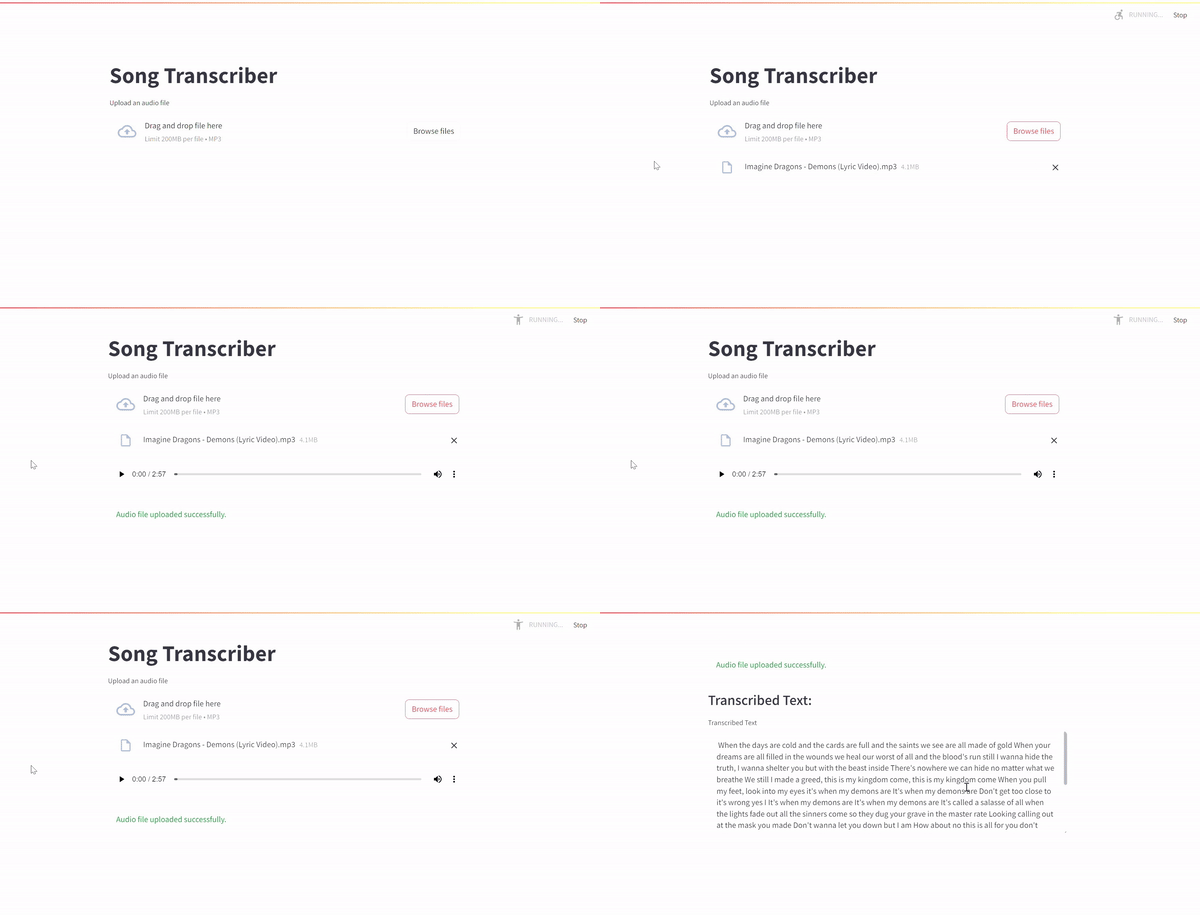
This is the main part of the code where the Streamlit application is created. It provides a simple web interface for users to upload an MP3 audio file, displays the uploaded file, saves it, transcribes the audio using the Whisper model, and then displays the transcribed text in a Streamlit text area. The application is executed if the script is run directly.
Here is the complete code implementation that we have used in app.py file.
app.py
For run the server use the below command
streamlit run script_name.py
Upload any audio file and this app will transcript it into text and return the output in text form
Output