|
VOOZH | about |
|
VOOZH | about |
Plots are an effective way of visually representing data and summarizing it beautifully. However, if not plotted efficiently it seems appears complicated. Python's Matplotlib provides several libraries for data representation. While making a plot we need to optimize its size. In this article, we will explore the process of steps to set the size of the plot in Matplotlib or adjust the plot size in Matplotlib by examining various examples and methodologies.
There are various ways we can use those steps to set size of plot in Matplotlib in Python:
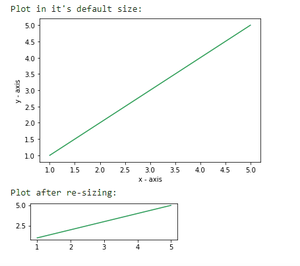
In this example, the code uses Matplotlib to create two line plots. The first plot is created with default size, displaying a simple line plot. The second plot is created after adjusting the figure size (width: 4, height: 1), showcasing how to change the dimensions of the plot. The `plt.show()` function is used to display each plot.
Output:
👁 Imagefigsize takes two parameters- width and height (in inches). By default the values for width and height are 6.4 and 4.8 respectively.
Syntax:
plt.figure(figsize=(x,y))
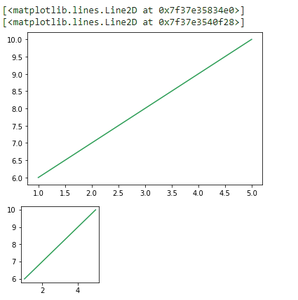
Where, x and y are width and height respectively in inches. In this example code uses Matplotlib to create two line plots. The first plot is displayed in the default size, and the second plot is shown after changing the figure size to 2x2 using `plt.figure(figsize=(2, 2))`.
Output:
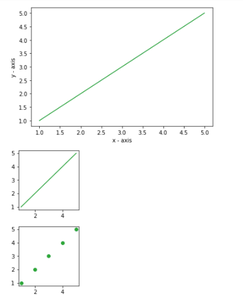
We can permanently change the default size of a figure as per our needs by setting the figure.figsize. In this example, we are using Matplotlib to create a line plot with the default size and then adjusts the default figure size to [2, 2]. It subsequently produces both a line plot and a scatter plot with the modified figure size.