|
VOOZH | about |
|
VOOZH | about |
Python has a number of powerful open-source libraries that make it an excellent language for Data Analysis and Web Development. One such library is Plotly, which makes it easy to create compelling data visualizations using web technologies. By combining Plotly with Flask, it is possible to create dynamic web pages that update automatically based on user interactions with the data. This article shows you how to use Plotly with Flask to generate a set of plots from the data stored in Pandas Dataframe.
Package Required
pip install pandas
pip install plotly
bar.html
In bar HTML page apply the necessary style elements for your page. Add headers and create the required div to display a chart, we use Javascript to invoke the Plotly chart using the JSON data sent by app.py as graphJSON parameter during the return.
app.py
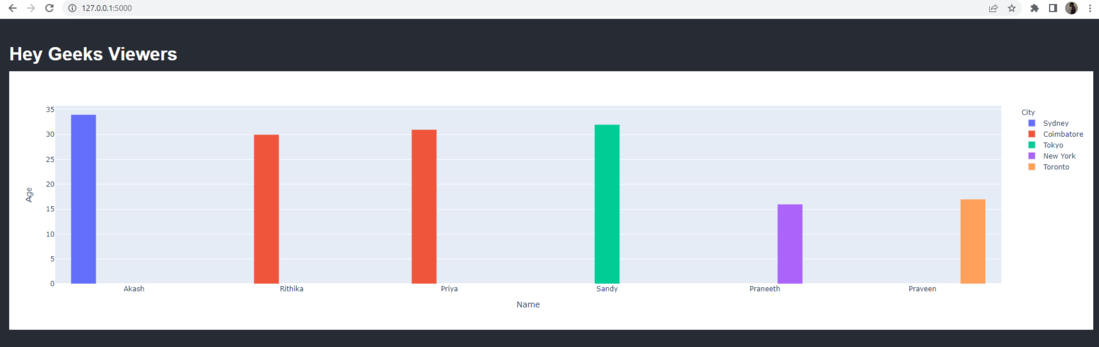
Import the necessary modules. Have a dataset and design a home page route (Use default datasets available online or create our own). Dataset conversion to a Pandas Dataframe Now, we'll use the Dataframe, Plotly, and px.bar to construct a bar chart (). Then, turn the figure into a JSON Object and send it using a render_template to the HTML page.
Output:
Run the command in the terminal.
python app.py