|
VOOZH | about |
|
VOOZH | about |
A CreateView in Django is a built-in class-based view used to create and save a new record in the database with less manual code than a function-based view.
Example: Consider a project named 'geeksforgeeks' having an app named 'geeks', then create a model of which we will be creating instances through our view.
In geeks/models.py:
After creating this model, we need to run two commands in order to create Database for the same.
Python manage.py makemigrations
Python manage.py migrate
Class-Based Views automatically handle the entire setup process. It is only necessary to specify the model and the fields to be used. The CreateView class will then look for a template named app_name/modelname_form.html. Here, expected template path is geeks/templates/geeks/geeksmodel_form.html
In geeks/views.py:
Now, create a url path to map the view in geeks/urls.py:
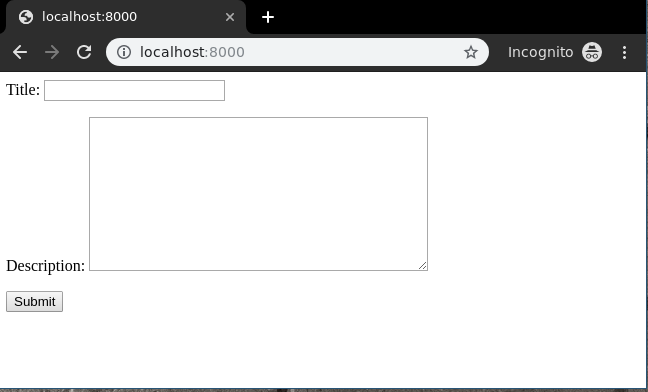
Create a template in templates/geeks/geeksmodel_form.html:
Now, visit on http://localhost:8000/
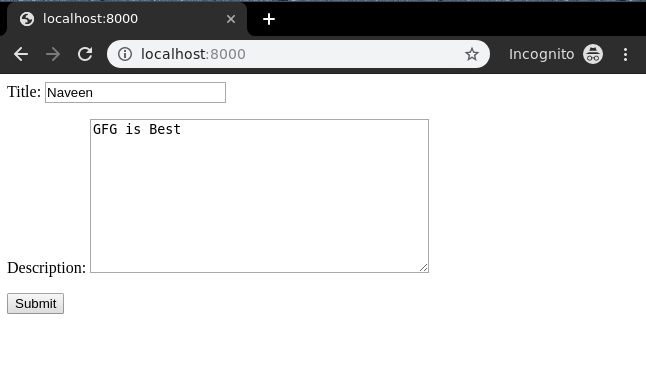
Now let's enter data in this form:
Now, CreateView is functioning as expected and its operation can be validated by inspecting the instance generated via the admin panel.