|
VOOZH | about |
|
VOOZH | about |
DecimalField is a field which stores a fixed-precision decimal number, represented in Python by a Decimal instance. It validates the input using DecimalValidator
field_name = models.DecimalField(max_digits=None, decimal_places=None, **options)
Parameters:
Note: max_digits must be greater than or equal to decimal_places.
Example Usage:
To store numbers up to 999 with a resolution of 2 decimal places:
models.DecimalField(..., max_digits=5, decimal_places=2)
And to store numbers up to approximately one billion with a resolution of 10 decimal places:
models.DecimalField(..., max_digits=19, decimal_places=10)
Illustration of DecimalField using an Example. Consider a project named geeksforgeeks having an app named geeks
Refer to the following articles to check how to create a project and an app in Django.
Enter the following code into models.py file of geeks app.
Make sure to add the geeks app to your project's INSTALLED_APPS in settings.py:
To create the database schema for your model, run the following commands:
1. Create migrations:
python manage.py makemigrations
2. Apply migrations:
python manage.py migrate
This will create the GeeksModel and add a geeks_field DecimalField to the database.
DecimalField is used for storing decimal numbers (e.g., monetary values, precise measurements) in the database.
Here’s how you can store a decimal number in the GeeksModel:
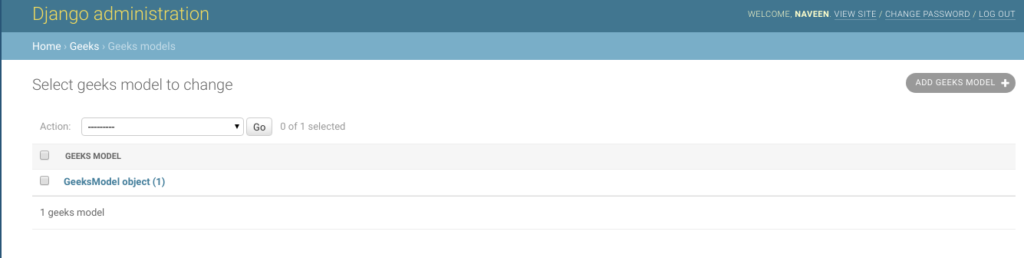
Now, this decimal value 9.53 will be stored in the database in the geeks_field column and we can check it in admin server.
👁 DecimalField django modelsField Options are the arguments given to each field for applying some constraint or imparting a particular characteristic to a particular Field. For example, adding an argument null = True to DecimalField will enable it to store empty values for that table in relational database. Here are the field options and attributes that a DecimalField can use.
| Field Options | Description |
|---|---|
| Null | If True, Django will store empty values as NULL in the database. Default is False. |
| Blank | If True, the field is allowed to be blank. Default is False. |
| db_column | The name of the database column to use for this field. If this isn’t given, Django will use the field’s name. |
| Default | The default value for the field. This can be a value or a callable object. If callable it will be called every time a new object is created. |
| help_text | Extra “help” text to be displayed with the form widget. It’s useful for documentation even if your field isn’t used on a form. |
| primary_key | If True, this field is the primary key for the model. |
| editable | If False, the field will not be displayed in the admin or any other ModelForm. They are also skipped during model validation. Default is True. |
| error_messages | The error_messages argument lets you override the default messages that the field will raise. Pass in a dictionary with keys matching the error messages you want to override. |
| help_text | Extra “help” text to be displayed with the form widget. It’s useful for documentation even if your field isn’t used on a form. |
| verbose_name | A human-readable name for the field. If the verbose name isn’t given, Django will automatically create it using the field’s attribute name, converting underscores to spaces. |
| validators | A list of validators to run for this field. See the validators documentation for more information. |
| Unique | If True, this field must be unique throughout the table. |