|
VOOZH | about |
|
VOOZH | about |
A DetailView is a built-in class-based view used to show a single record from the database. It automatically fetches the record using a primary key or slug, reducing extra code.
Example: Consider a project named 'geeksforgeeks' having an app named 'geeks'. After you have a project and an app, let's create a model of which we will be creating instances through our view.
In geeks/models.py:
After creating this model, we need to run two commands in order to create Database for the same.
Python manage.py makemigrations
Python manage.py migrate
Now let's create some instances of this model using shell, run form bash.
Python manage.py shell
Enter following commands:
>>> from geeks.models import GeeksModel
>>> GeeksModel.objects.create( title="title1", description="description1")
>>> GeeksModel.objects.create(title="title2", description="description2")
>>> GeeksModel.objects.create(title="title3", description="description3")
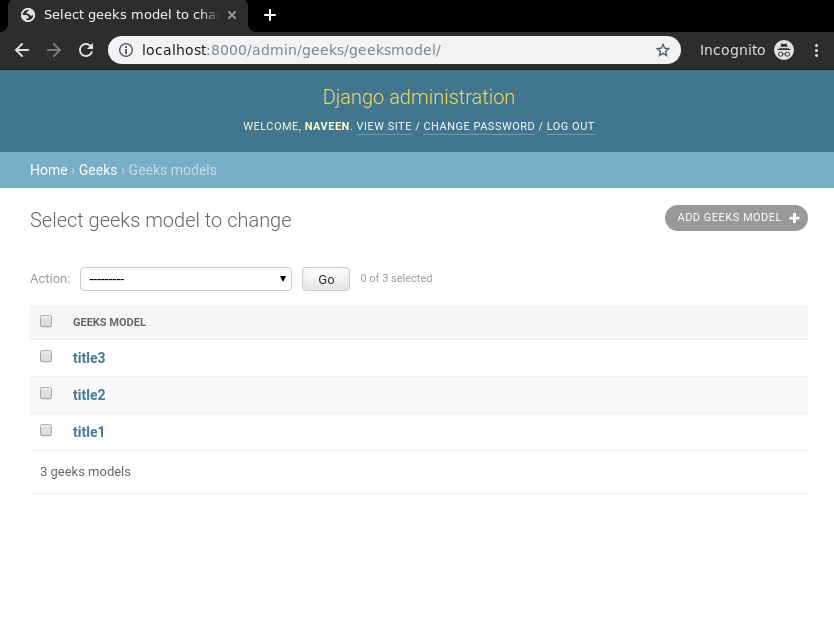
Now that the backend setup complete, we need to confirm that instances have been created by visiting: http://localhost:8000/admin/geeks/geeksmodel/ 👁 django-listview-check-models-instances
To create a DetailView, it is only necessary to specify the model. Django’s DetailView will then look for a template named app_name/modelname_detail.html. Here, expected template path is geeks/templates/geeks/geeksmodel_detail.html.
In geeks/views.py:
Now, create a url path to map the view in geeks/urls.py:
Next, create a template in templates/geeks/geeksmodel_detail.html:
Now, Visit http://localhost:8000/1/ to view the details of the model instance with ID 1.
By default DetailView will only display fields of a table. If one wants to modify this context data before sending it to template or add some extra field, context data can be overridden.
In geeks/views.py:
In geeks/templates/geeksmodel_detail.html: