A widget is Django’s representation of an HTML input element. The widget handles the rendering of the HTML, and the extraction of data from a GET/POST dictionary that corresponds to the widget. Whenever you specify a field on a form, Django will use a default widget that is appropriate to the type of data that is to be displayed. To find which widget is used on which field, see the documentation about
Built-in Field classes. This post revolves about the advanced use of widgets to modify the form structure and input type.
Default Widget in Form Fields
Every field has a predefined widget, for example
IntegerField has a default widget of
NumberInput. Let's demonstrate this with help of our base project geeksforgeeks.
Refer to the following articles to check how to create a project and an app in Django.
Now let's create a demo form in "geeks/forms.py",
Now to render this form we need to create the view and template which will be used to display the form to user. In geeks/views.py, create a view
and in templates/home.html,
Now let's display the form by running
Python manage.py runserver
visit
http://127.0.0.1:8000/
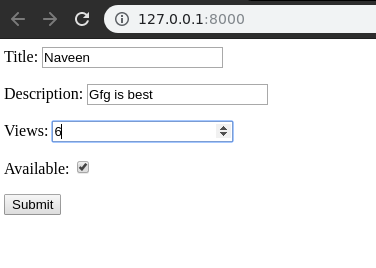
👁 django forms widgets
As seen in above screenshot, there is a different type of input field for IntegerField, BooleanField, etc. One can modify this using the following ways.
Custom Django form field widgets
One can override the default widget of each field for various purposes. The list of widgets can be seen here -
Widgets | Django Documentation. To override the default widget we need to explicitly define the widget we want to assign to a field.
Make following changes to
geeks/forms.py,
Now visit
http://127.0.0.1:8000/,
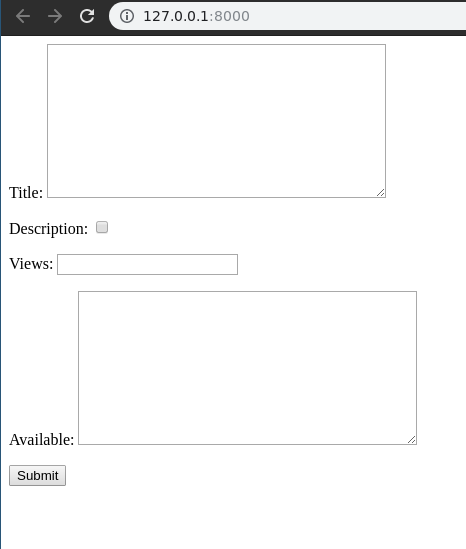
👁 django-forms-widgets-ss
Thus we can assign, any widget to any field using
widget attribute.
Note - The validations imposed on fields would still remain same, for example even if an IntegerField is made the same as CharField, it will only accept Integer inputs.
Using Widgets to Customize DateField
widgets have a great use in Form Fields especially using Select type of widgets where one wants to limit the type and number of inputs form a user. Let's demonstrate this with help of modifying DateField. Consider forms.py as,
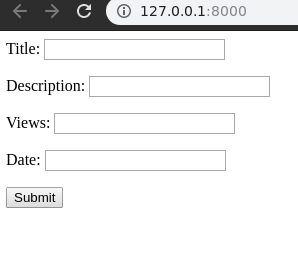
By default, DateField as widget TextInput. It can be seen as
👁 django-wisdget-datefield
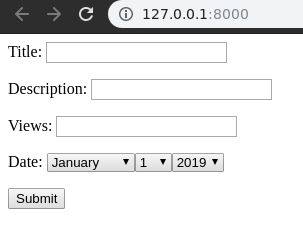
Now let's change the widget for better and convenient input from user of a date. Add
SelectDateWidget to DateField in
forms.py,