|
VOOZH | about |
|
VOOZH | about |
Installing and setting up Django is a straightforward process. Below are the step-by-step instructions to install Django and set up a new Django project on your system.
Before installing Django, make sure you have Python installed on your system.
To Install Django in Linux and Mac is similar, here I am showing it in Windows for Linux and Mac just open the terminal in place of the command prompt and go through the following commands.
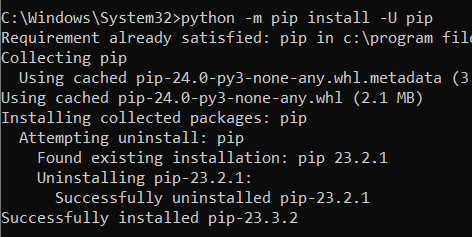
Open the command prompt and enter the following command-
python -m pip install -U pip
Setting up the virtual environment will allow you to edit the dependency which generally your system wouldn't allow. Follow these steps to set up a virtual environment-
We should first go the directory where we want to create the virtual environment then we type the following command to create virtual environment in django.
python -m venv env_site
then we need to activate virtual environment in django
Run the activation script located in the bin directory within the virtual environment folder
.\env_site\Scripts\activate.ps1
source env_site/bin/activate
Install django by giving following command
pip install django
Once Django is installed, we can start to create a new Django project.
Start a project by following command-
django-admin startproject geeks_site
Change directory to geeks_site
👁 4cd geeks_site
Start the server by typing following command in cmd-
python manage.py runserver
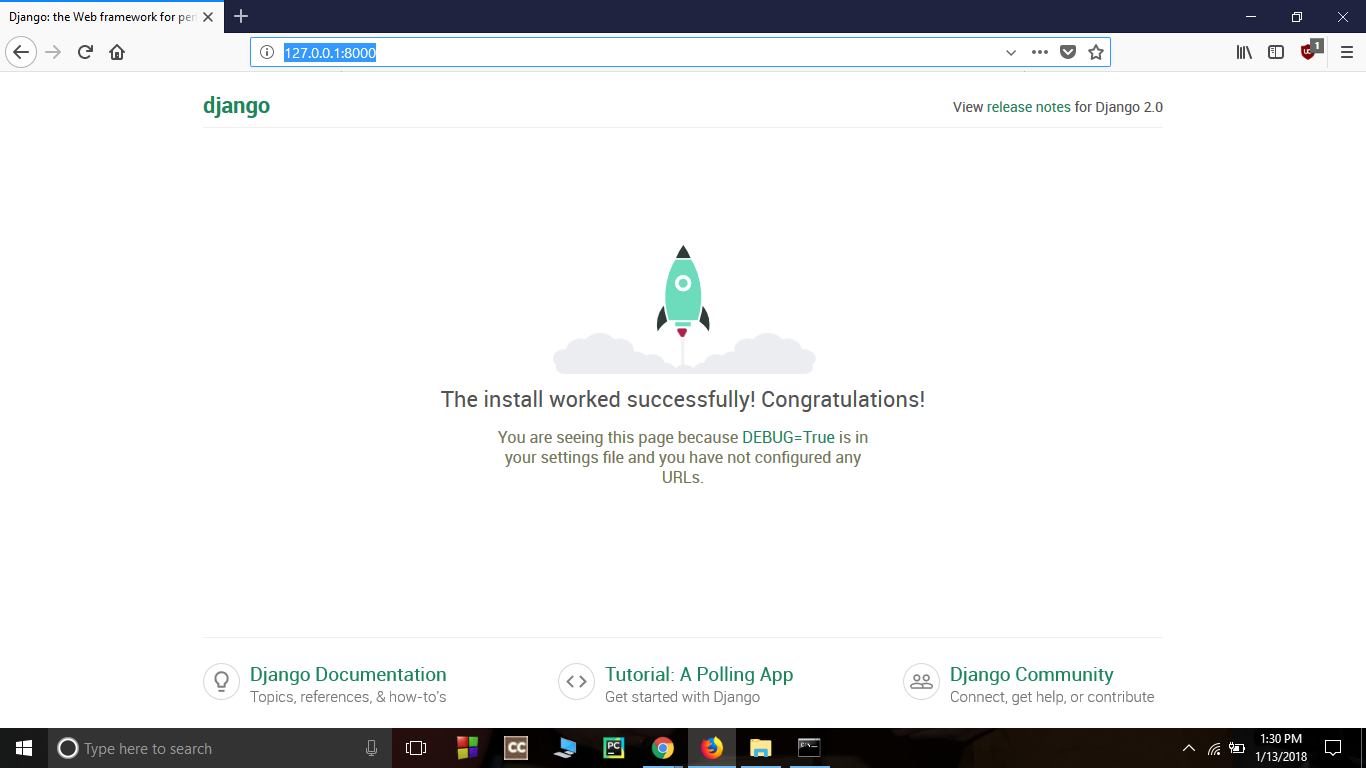
To check whether server is running or not go to web browser and enter http://127.0.0.1:8000/ as URL.