|
VOOZH | about |
|
VOOZH | about |
We will build an event countdown timer using Django. By storing an event’s date and time in a model and using JavaScript for live updates, we’ll create a dynamic timer that counts down to the event. Step-by-step, you’ll learn to set up the project, build the backend and frontend, and deploy the app locally.
Prerequisites:
Open your terminal and run:
django-admin startproject core
cd core
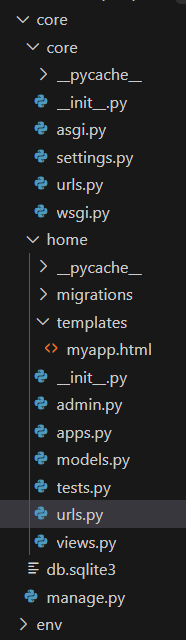
python manage.py startapp home
In core/settings.py, add "home" to the INSTALLED_APPS list:
INSTALLED_APPS = [
"django.contrib.admin",
"django.contrib.auth",
"django.contrib.contenttypes",
"django.contrib.sessions",
"django.contrib.messages",
"django.contrib.staticfiles",
"home",
]
In home/models.py, define the Event model:
In home/admin.py, register the model:
In home/views.py, add the countdown timer view:
Create the directory structure home/templates/ and add the file myapp.html with this content:
Run these commands in terminal:
python manage.py makemigrations
python manage.py migrate
Before running the development server, create a superuser and add an event in the Django admin panel:
python manage.py createsuperuser
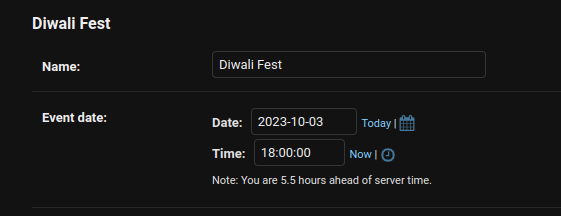
After creating super user, go admin pannel and add event.
👁 Screenshot-from-2023-10-02-18-07-06
Run the server with the help of following command:
python manage.py runserver
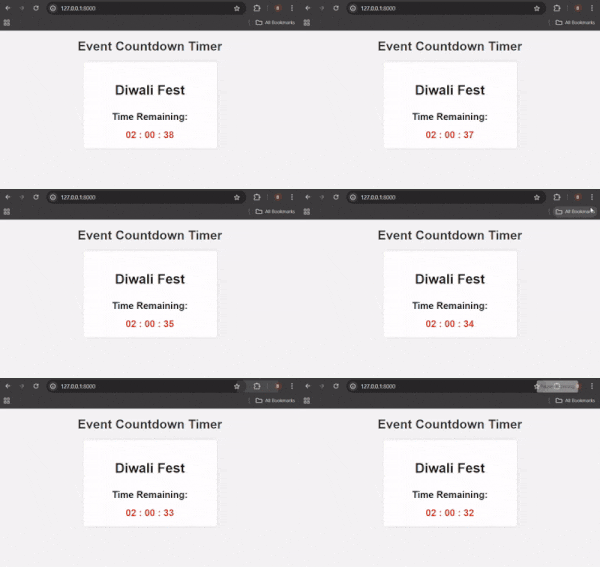
Output: