|
VOOZH | about |
|
VOOZH | about |
Face detection is a important application of computer vision that involves identifying human faces in images or videos. In this Article, we will see how to build a simple real-time face detection application using Python and OpenCV where webcam will be used as the input source.
We have to install OpenCV library in our system, Use the following command to install it:
pip install opencv-python
We will use Haar Cascade Classifier which is a machine learning-based method for detecting objects in images. OpenCV provides this classifier as a pre-trained model for detecting faces. This classifier will help us to detect faces in the webcam feed. Download the Haar Cascade file from this link.
We use the cv2.VideoCapture() function to open the webcam. Here passing 0 refers to the default webcam. If the webcam is not accessible, we display an error message and stop the program.
Now it will continuously captures frames from the webcam. Each frame is converted to grayscale as face detection algorithms perform better on grayscale images. Then the Haar Cascade Classifier is applied to detect faces.
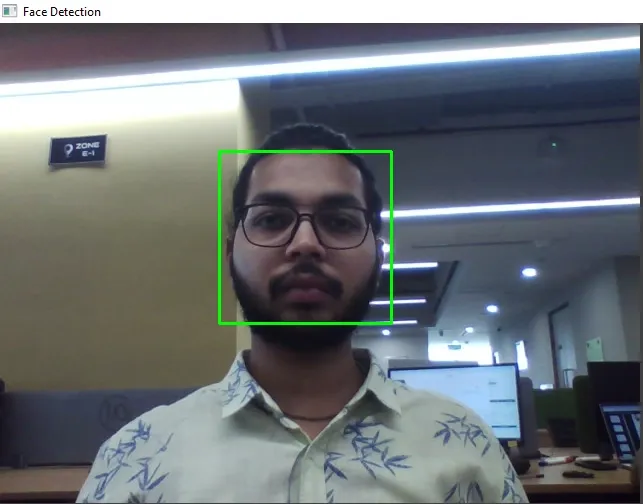
For each face detected a green rectangle is drawn around it and frame with rectangles is displayed in a window titled "Face Detection"
When 'q' is pressed then webcam is released and any OpenCV windows are closed.
Output:
Using OpenCV's Haar Cascade Classifier this method provides a solid starting point for exploring real-time face detection and other computer vision projects.
Note : Above code will not run on online IDE. It will work on local system only.
You can download source code from here.