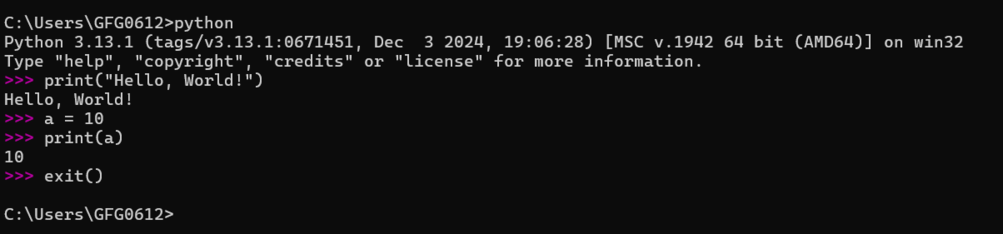
Python is a versatile, interpreted programming language celebrated for its simplicity and readability. This guide will walk us through installing Python, running first program and exploring interactive coding.
Install Python
Before starting this Python course first, you need to install Python on your computer. Most systems come with Python pre-installed.
To verify if Python is available on your computer, open command line interface (Command Prompt on Windows or Terminal on macOS/Linux) and type:
python --version
If Python is installed, this command will display its version but if it is not installed then to install Python on our computer, follow these steps:
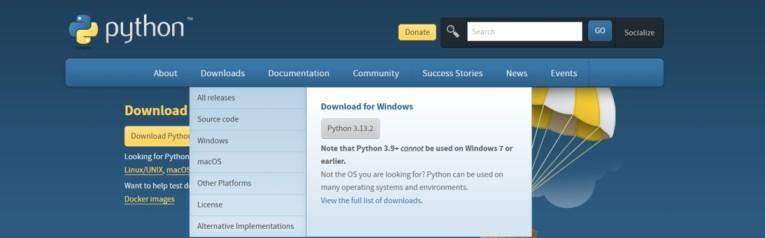
Download Python: Go to the official Python website at https://www.python.org/ On the homepage, we will see a "Downloads" section. Click on the "Download Python" button.
Google Colab is a cloud-based platform that provides an interactive Python environment for running Python code. It allows us to write and execute Python code in the browser without installing anything locally.
Steps to Get Started on Google Colab:
Open Google Colab: Go to Google Colab. You will need a Google account to access it.
Create a New Notebook: After logging into your Google account, you can create a new notebook by selecting File > New Notebook. This will create a fresh Python environment where you can start coding.
Running Python Code: In Colab, you can directly write Python code in cells and run them interactively. To run the code in a cell, click on the play button next to the cell or press Shift + Enter.