VOOZH about

URL: https://www.geeksforgeeks.org/python/how-to-add-cart-in-a-web-page-using-django/

โ‡ฑ How to Add Cart in a Web Page using Django? - GeeksforGeeks


  • Courses
  • Tutorials
  • Interview Prep

How to Add Cart in a Web Page using Django?

Last Updated : 23 Jul, 2025

A shopping cart allows users to collect and manage items they want to purchase before proceeding to checkout. We will build a simple shopping cart using Django and learn how to create models, views, templates and URLs to add, view and remove items from the cartโ€”step by step.

Create Django Project and App

Prerequisites:

To start the project and app use this command

django-admin startproject ecommerce
cd ecommerce
python manage.py startapp cart

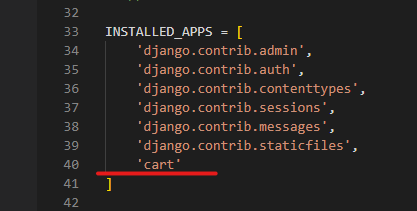
Now add this app to the 'settings.py'.

๐Ÿ‘ Screenshot-2023-10-06-170834

Define Models in models.py

Your database schema is the foundation of the app. We'll create two models:

  • Product: Represents items available for sale.
  • CartItem: Represents individual product items added to a user's cart.

Register Models in Admin

Register your models so you can add/edit products and cart items via Djangoโ€™s admin interface:

Create Views in views.py

The views will handle displaying products, managing the cart, adding/removing items and rendering appropriate templates.

  • product_list(request): This view fetches a list of products from the database and renders a template to display them. Each product is shown with its name, price and an "Add to Cart" button.
  • view_cart(request): This view displays the contents of the shopping cart. It retrieves the cart items associated with the current user, calculates the total price of the items in the cart and then renders a template to display the cart items along with the total price.
  • add_to_cart(request, product_id): When a user clicks the "Add to Cart" button on a product, this view is triggered. It adds the selected product to the user's cart. If the product is already in the cart, it increments the quantity. It then redirects the user to the cart view to display the updated cart contents.
  • remove_from_cart(request, item_id): This view handles the removal of an item from the cart. It takes the item's ID as a parameter, retrieves the corresponding cart item and deletes it from the database. After removal, it redirects the user to the cart view to reflect the updated cart.

Adding a cart to a Django web page is a crucial skill for e-commerce apps. If you're looking to build more complex applications, the Django Web Development Course will guide you through advanced concepts.

Set Up Templates for User Interface

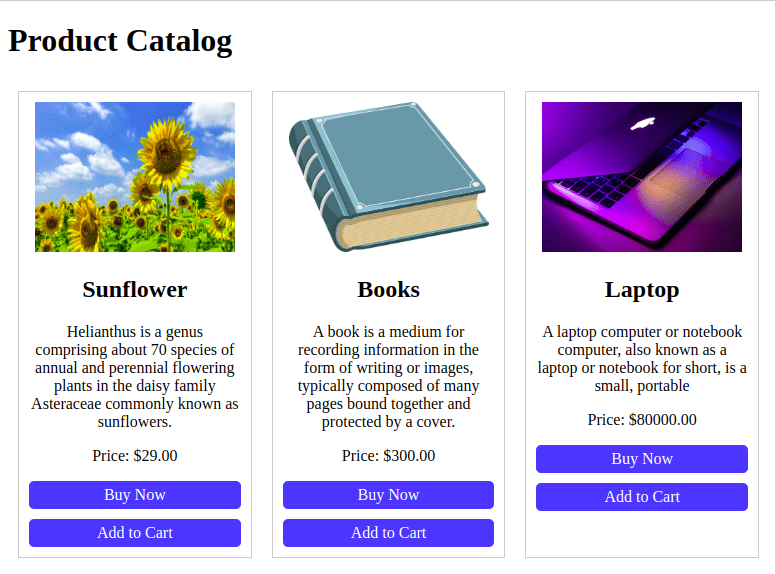
Product List - index.html

Displays all products with their image, description, price and an Add to Cart button.

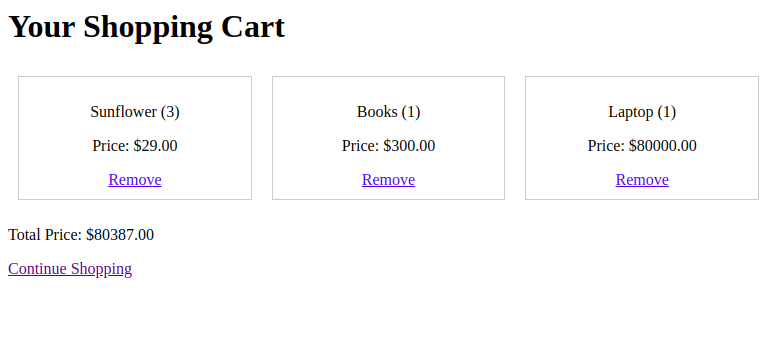
Cart View - cart.html

Shows the current items in the cart with quantity, price and a remove option, along with the total cost.

Configure URLs

In cart/urls.py, map URLs to the views:

Include these URLs in the main ecommerce/urls.py:

Configure Static and Media Files in settings.py

Configure Django to serve static and media files during development. In your project's settings.py file, add the following:

Apply Migrations and Run the Server

Generate and apply database migrations:

python manage.py makemigrations
python manage.py migrate

Run the server with the help of following command:

python manage.py runserver

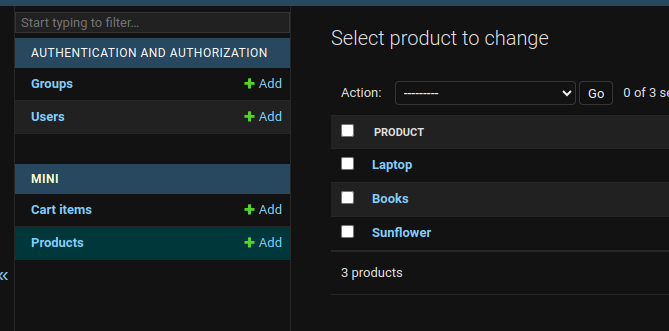
Now, Go to the http://127.0.0.1:8000/admin/ and add the Images, name and its description.

๐Ÿ‘ Screenshot-from-2023-10-05-01-05-20

Output

๐Ÿ‘ Screenshot-from-2023-10-05-01-09-41

๐Ÿ‘ Screenshot-from-2023-10-05-01-11-49

Comment