|
VOOZH | about |
|
VOOZH | about |
When developing APIsor AJAX-based web applications in Django, one of the most common tasks is returning JSON data as a response. Django provides the JsonResponse class to send JSON data easily. However, sometimes we might need to return a custom HTTP status code along with the JSON data.
JsonResponse Syntax:
JsonResponse(data, status=<status_code>)We can change the status code of a JsonResponse by passing the status parameter.
In this article, we’ll explore how to use JsonResponse, why it’s important to set custom status codes, and how to modify the status of a JsonResponse in Django.
JsonResponse is a subclass of Django’s HttpResponse class that is designed to return JSON-encoded data. It automatically serializes Python dictionaries into JSON format and sets the appropriate content type (application/json) in the HTTP header.
Here’s a simple view that returns a JsonResponse:
This will return a JSON response with the following content:
{
 "message": "Hello, Geek!"
}
By default, JsonResponse returns a status code of 200 (OK).
In many cases, it’s important to return a specific HTTP status code to indicate the outcome of the request. Common HTTP status codes include:
Setting the correct status code helps clients (e.g., frontend applications or third-party services) understand the outcome of their request and take appropriate actions.
We can change the status code of a JsonResponse by passing the status parameter. The status parameter accepts an integer representing the desired HTTP status code.
Syntax:
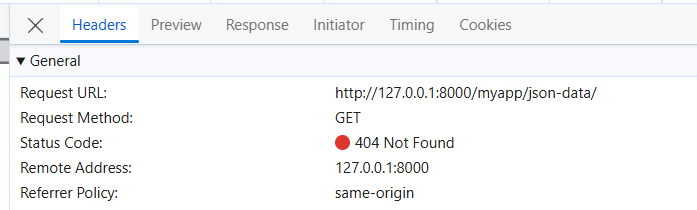
JsonResponse(data, status=<status_code>)Let’s say we have a view that checks if an object exists in the database. If the object is not found, we want to return a 404 Not Found response.
In this case, when the item is not found, the response will look like this:
{
 "error": "Item not found"
}
And the HTTP status code will be 404.
If we are creating a new resource (e.g., a user or an item) via an API, we would typically return a 201 Created status code to indicate the resource was successfully created.
This would return:
{
 "message": "Item successfully created",
 "item_id": 123
}
With the HTTP status code 201 Created.
In cases where there is an error in the request (e.g., missing required parameters), we may want to return a 400 Bad Request status.
If the name parameter is missing, the response will be:
{
 "error": "Name is required"
}
And the HTTP status will be 400 Bad Request.
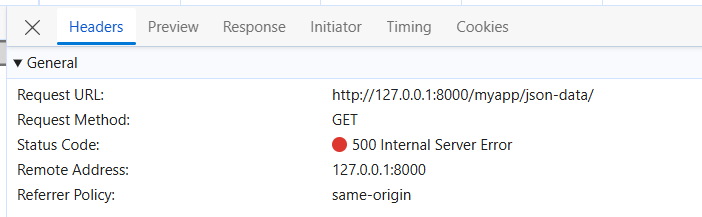
We might want to return a 500 Internal Server Error status when something unexpected happens on the server, such as a failure in processing a request.
If the operation fails, the response will be:
{
 "error": "Internal server error",
 "details": "division by zero"
}
And the HTTP status will be 500 Internal Server Error.
By default, JsonResponse expects the data passed to it to be a dictionary. If we want to return a list or another data structure like Python Lists, we need to set the safe parameter to False.
This will return:
["apple", "banana", "orange"]With the HTTP status 200 OK.
Sometimes, we might need to include custom HTTP headers in our response. We can do this by modifying the JsonResponse object after it’s created.
In this case, the response will include the custom header Custom-Header with the value CustomValue.
Output:
Django's JsonResponse makes it easy to return JSON data in our views. However, it’s often important to return the appropriate HTTP status code to reflect the result of the request. By using the status parameter in JsonResponse, we can control the HTTP status code returned to the client.
With this knowledge, we can effectively handle various scenarios in our Django applications by using JsonResponse with the appropriate status codes.