|
VOOZH | about |
|
VOOZH | about |
Matplotlib is a plotting library for creating static, animated, and interactive visualizations in Python. Matplotlib can be used in Python scripts, the Python and IPython shell, web application servers, and various graphical user interface toolkits like Tkinter, awxPython, etc. In this article, we will see how to create a scatter plot with different colors in Matplotlib.
The possible values for marker color are:
- A single color format string.
- A 2-D array in which the rows are RGB or RGBA.
Below are some examples by which we can see how to customize Matplotlib plots with different colors and change colors in Matplotlib in Python:
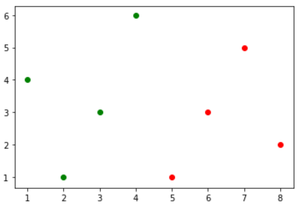
In this example, we are using the Matplotlib library to generate two scatter plots. The first set of data points (x=[1, 2, 3, 4], y=[4, 1, 3, 6]) is depicted as green dots, while the second set (x=[5, 6, 7, 8], y=[1, 3, 5, 2]) is shown in red. The plt.scatter() function is used to create each scatter plot, specifying the x and y coordinates along with the color ('c') of the markers.
Output:
Example 1: Create a Scatter Plot with RGB Colors
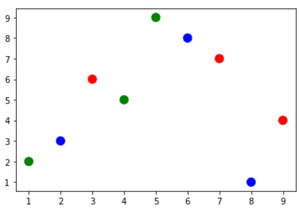
Colormap instances are used to convert data values (floats) from the interval [0, 1] to the RGBA color. In this example, the code utilizes the Matplotlib library to create a scatter plot. It first imports necessary modules, including matplotlib.pyplot and NumPy. Data points are represented by a 2D array 'a', with each column containing x and y coordinates.
Output:
Example 2: Create a Scatter Plot Using Color Codes
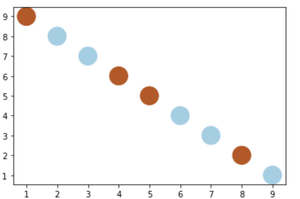
In this example, we are using Matplotlib to generate a scatter plot with specific data points and color-coded categories. Initially, essential modules such as Matplotlib and NumPy are imported. The data points are defined as a NumPy array 'a,' consisting of two arrays representing x and y coordinates.
Output: