|
VOOZH | about |
|
VOOZH | about |
When working with PostgreSQL databases in Python, we often need to use the psycopg2 library. It’s a popular PostgreSQL adapter for Python, making it easy to interact with PostgreSQL databases. In this article, we will learn how to install psycopg2 in Visual Studio Code (VS Code) on our system.
Note: Before we install psycopg2, we need to ensure that Python is installed on our system and set up in VS Code.
If you already have Python installed, you can skip this step.
Download Python:
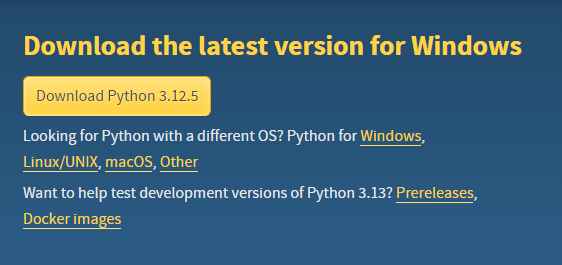
Go to the official Python website and download the latest version of Python.
Next Run the installer. Make sure to check the box that says "Add Python to PATH" during the installation.
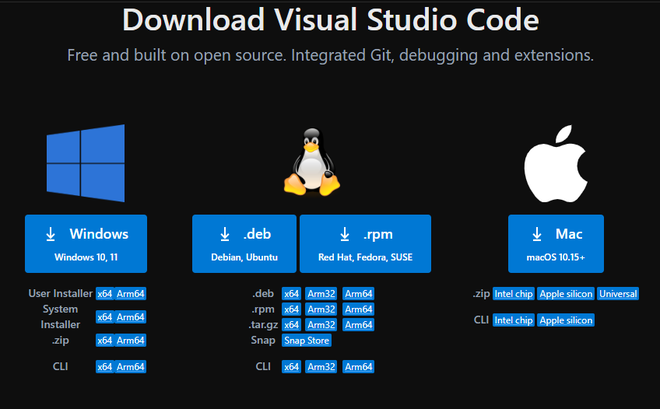
We can download VS Code from the official VS Code website and install it.
To install psycopg2, we need to use the terminal in VS Code.
Before that, let's create a virtual environment for our Python projects to keep dependencies isolated.
In the terminal, navigate to the project folder using cd project_directory. Then, run the following command to create a virtual environment:
python -m venv venvActivate Virtual Environment,
.\venv\Scripts\activate #for windowssource venv/bin/activate #for macOS/LinuxNow that our environment is ready, we can install psycopg2 using pip.
pip install psycopg2Output:
First create a New Python File: To test whether the installation was successful, we can check the version of psycopg2 using the following command:
python -c "import psycopg2; print (psycopg2.__version__)"The -c flag allows us to run Python code directly from the command line without needing to write it into a script file.
Other way to test the installation:
In VS Code, create a new Python file (e.g., test_psycopg2.py) and add the following code.
Upon running the python file using python -m test_psycopg2.py, if we get the desired output meaning that the installation was successful.
Output:
Installing psycopg2 in Visual Studio Code is a simple process that allows us to easily interact with PostgreSQL databases using Python. By setting up your environment correctly and following the steps outlined in this article, we can ensure that psycopg2 is installed and functioning properly. Whether we're working on a small project or a large-scale application, having psycopg2 integrated on our system will streamline our database operations and improve our workflow.