|
VOOZH | about |
|
VOOZH | about |
In this article, we will see how to move all files from one directory to another directory using Python. In our day-to-day computer usage we generally copy or move files from one folder to other, now let's see how to move a file in Python:
rename() method takes two arguments first one is the source path and the second one is the destination path, the rename function will move the file at the source path to the provided destination.
Code:
The shutil.move() method takes two arguments first one is the complete source path and the second one is the destination path (including the file/folder name to move), the move function will move the file from source to the destination.
Output:
Here we are trying to move all files having name patterns *_A_* to our destination directory. Using glob module in Python, we can easily do this in a single line, by defining a pattern for the file name.
Output:
Files to move ['/home/tuhingfg/Documents/source/type_A_4.txt', '/home/tuhingfg/Documents/source/type_A_5.txt', '/home/tuhingfg/Documents/source/type_A_2.txt', '/home/tuhingfg/Documents/source/type_A_3.txt']
Moved /home/tuhingfg/Documents/source/type_A_4.txt -> /home/tuhingfg/Documents/destination/type_A_4.txt
Moved /home/tuhingfg/Documents/source/type_A_5.txt -> /home/tuhingfg/Documents/destination/type_A_5.txt
Moved /home/tuhingfg/Documents/source/type_A_2.txt -> /home/tuhingfg/Documents/destination/type_A_2.txt
Moved /home/tuhingfg/Documents/source/type_A_3.txt -> /home/tuhingfg/Documents/destination/type_A_3.txt
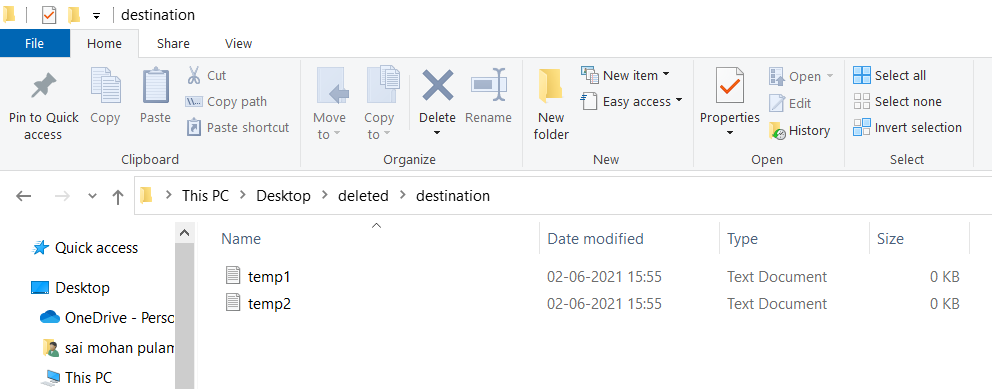
Destination folder after executing script: