|
VOOZH | about |
|
VOOZH | about |
In this article, we will discuss how to subtract two columns in pandas dataframe in Python.
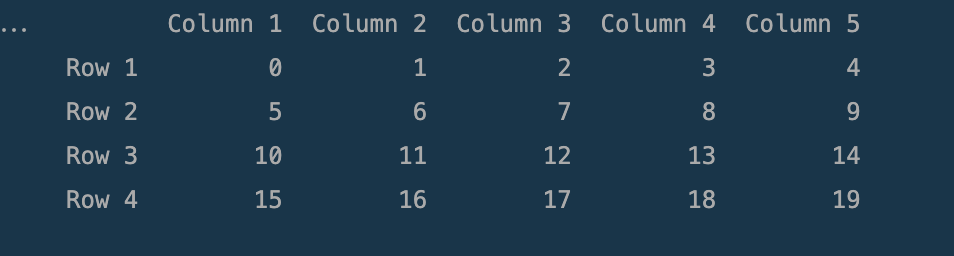
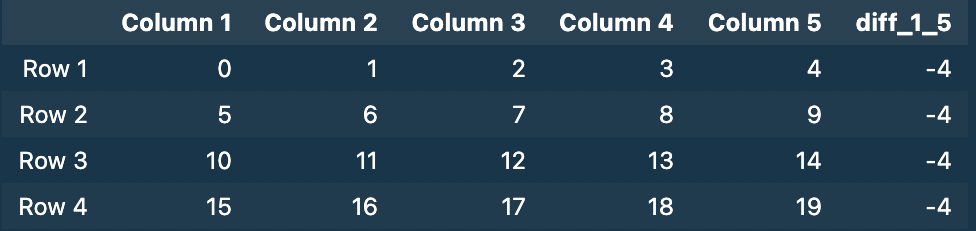
Dataframe in use:
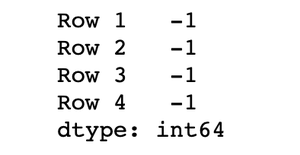
👁 ImageThis is the __getitem__ method syntax ([]), which lets you directly access the columns of the data frame using the column name.
Example: Subtract two columns in Pandas dataframe
Output:
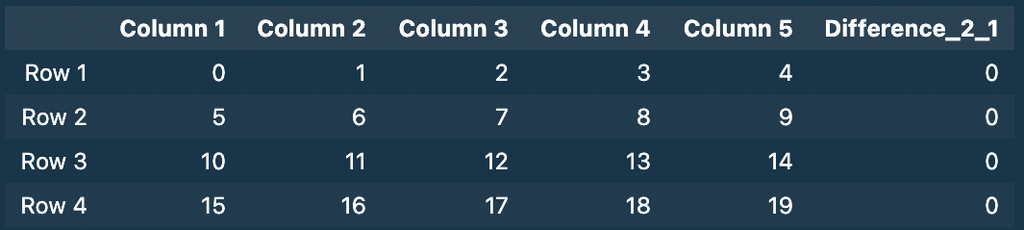
👁 ImageWe can create a function specifically for subtracting the columns, by taking column data as arguments and then using the apply method to apply it to all the data points throughout the column.
Example: Subtract two columns in Pandas dataframe
Output :
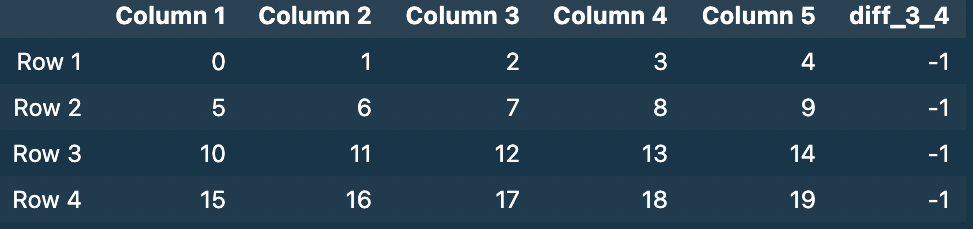
👁 ImageSince the operation we want to perform is simple we can you can directly use the apply() method without explicitly defining a function. Provide the axis argument as 1 to access the columns.
Syntax:
s.apply(func, convert_dtype=True, args=())
Parameters:
- func: .apply takes a function and applies it to all values of pandas series.
- convert_dtype: Convert dtype as per the function’s operation.
- args=(): Additional arguments to pass to function instead of series.
Return Type: Pandas Series after applied function/operation.
Example: Subtract two columns in Pandas Dataframe
Output:
👁 Imageassign() method assign new columns to a DataFrame, returning a new object (a copy) with the new columns added to the original ones.
Example: Subtract two columns in Pandas dataframe