|
VOOZH | about |
|
VOOZH | about |
Matplotlib is a library in Python and it is a numerical – mathematical extension for NumPy library. The figure module provides the top-level Artist, the Figure, which contains all the plot elements. This module is used to control the default spacing of the subplots and top-level containers for all plot elements.
The add_axes() method figure module of matplotlib library is used to add an axes to the figure.
Syntax: add_axes(self, *args, **kwargs) Parameters: This accept the following parameters that are described below:
- rect : This parameter is the dimensions [left, bottom, width, height] of the new axes.
- projection : This parameter is the projection type of the Axes.
- sharex, sharey : These parameters share the x or y axis with sharex and/or sharey.
- label : This parameter is the label for the returned axes.
Returns: This method return the axes class depends on the projection used.
: To understand multiple axes( multiple rectangle insertion in generated figure) easily, Think of a rectangle which is 1 * 1 (with 0.1 as increment ).Within the rectangle we have arrange those axes with specifying ([a,b,c,d])
(a,b) is the point in of the rectangle which we create. c represents and d represents of the respective rectangle.
Try this basic example on your own to understand their placement within a rectangle.
import matplotlib.pyplot as plt
import numpy as np
figu = plt.figure()
r = figu.patch
r.set_facecolor('lightslategray')axes = figu.add_axes([0, 0.4, 0.1, 1])
axes = figu.add_axes([1, 1, 0.2, 0.3])
plt.show()
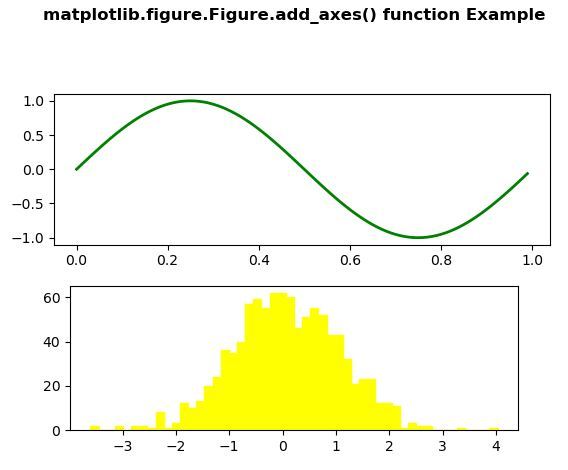
Below examples illustrate the matplotlib.figure.Figure.add_axes() function in matplotlib.figure: Example 1:
Output: 👁 Image
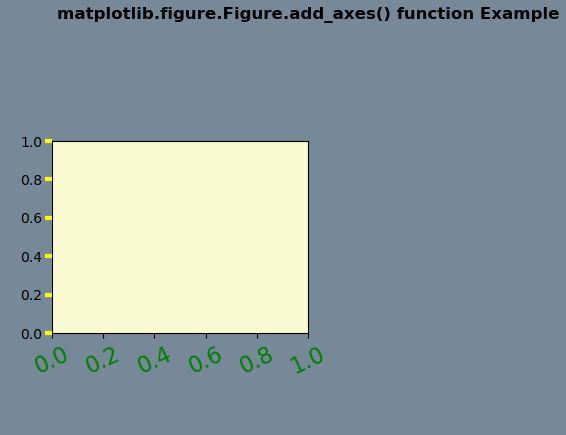
Example-2:
Output: 👁 Image