|
VOOZH | about |
|
VOOZH | about |
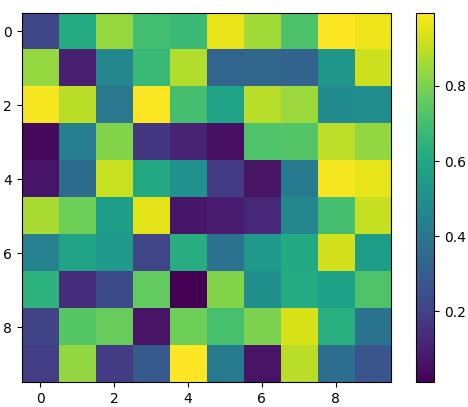
matplotlib.pyplot.imshow() function in Python is used to display images in a plot. It is part of the matplotlib library and allows you to visualize images as 2D data. This function is widely used for displaying images, matrices, or heatmaps where each value in the array corresponds to a color. Example:
Output
Explanation:
matplotlib.pyplot.imshow(X, cmap=None, norm=None, *, aspect=None, interpolation=None, alpha=None, vmin=None, vmax=None, colorizer=None, origin=None, extent=None, interpolation_stage=None, filternorm=True, filterrad=4.0, resample=None, url=None, data=None, **kwargs)
Parameters:
Reurn Value: imshow() function returns an AxesImage object, which is an instance of the matplotlib.image.AxesImage class. This object represents the image displayed on the axes and can be used to further customize or interact with the image after it has been plotted.
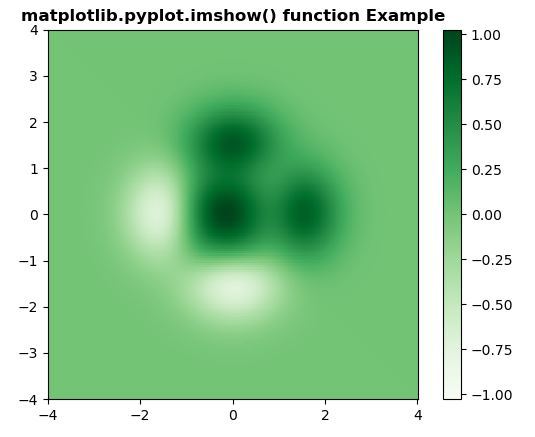
This code demonstrates how to display a 2D data array using imshow() with a custom color range. It sets specific vmin and vmax values to control the color intensity.
Output
👁 ImageExplanation: We first create a 2D grid of values using numpy.mgrid and compute a function over the grid. Then, we use imshow() to display this 2D array. The vmin and vmax parameters are set to the minimum and maximum of the data, ensuring the color map is scaled accordingly. The colormap 'Greens' is used, and the extent parameter specifies the limits of the x and y axes. We also use origin='lower' to set the origin of the image at the bottom-left, and a colorbar is added to indicate the values associated with the colors.
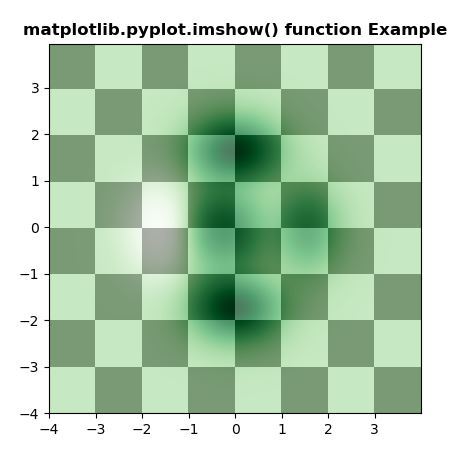
This example shows how to overlay two images with different colormaps and transparency using imshow().
Output
👁 ImageExplanation: This code generates two 2D datasets: one using a simple mathematical function (Z1) and another using a custom function (geeks(x, y)). The first dataset (Z1) is displayed with a binary colormap, and the second dataset (Z2) is displayed on top with a Greens colormap and some transparency.