|
VOOZH | about |
|
VOOZH | about |
The dt.date attribute extracts the date part of the DateTime objects in a Pandas Series.
It returns the NumPy array of Python datetime.date objects, mainly the date part of timestamps without information about the time and timezone.
Output:
👁 Date part extracted using dt.date
Syntax: Series.dt.date
Parameter : None
Returns :NumPy array with datetime.date objects
To extract the date from a DateTime object in Pandas Series we use the dt.date attribute of the Pandas library in Python.
Let us understand it better with an example:
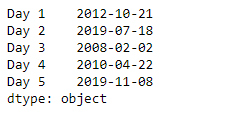
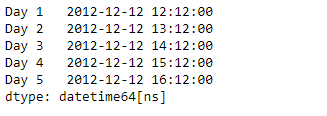
Output :
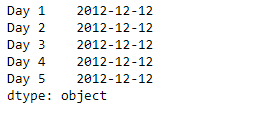
Now we will use the dt.date attribute to return the date property of the underlying data of the given Series object.
Output :
As we can see in the output, the dt.date attribute has successfully accessed and returned the date property of the underlying data in the given series object.