|
VOOZH | about |
|
VOOZH | about |
Consider a scenario where we have a PySpark DataFrame column of type MapType. Keys are strings and values can be of different types (integer, string, boolean, etc.). I need to do some operations on this column, Filter, transform values, or extract specific keys from a map. PySpark allows you to define custom functions using user-defined functions (UDFs) to apply transformations to Spark DataFrames. PySpark has built-in UDF support for primitive data types, but handling complex data structures like MapType with mixed value types requires a custom approach. This tutorial will walk you through the steps to create his PySpark UDF of mixed-value MapType.
The UDF function in pyspark.sql.functions is used to define custom functions. It requires two parameters. Python functions and return types.
Syntax: udf(function, return type)
A MapType column represents a map or dictionary-like data structure that maps keys to values. It is a collection of key-value pairs, where keys and values can have different data types.
Syntax: MapType(keyType,valueType,valueContainsNull=True)
Parameters:
- keyType: Datatype of the keys in the map, which are not allowed to be null.
- valueType: Datatype of the values in the map
- valueContainsNull: Which is Boolean type, indicates whether values contain null values.
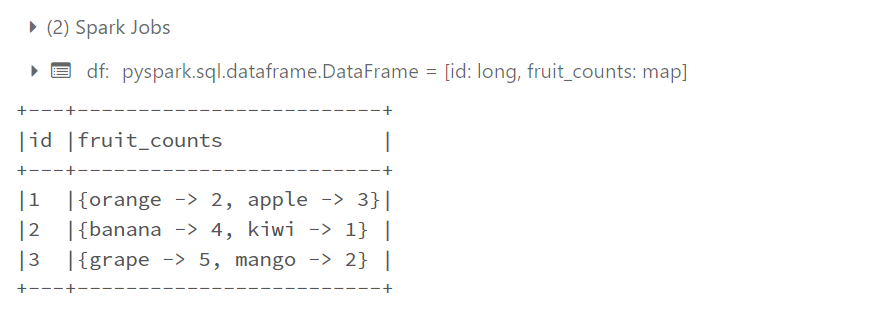
In PySpark you can create a MapType using the MapType class in the pyspark.sql.types module. MapType represents the data type of the map or dictionary that stores each key/value pair. Here's an example, of how we can create MapType
Output:
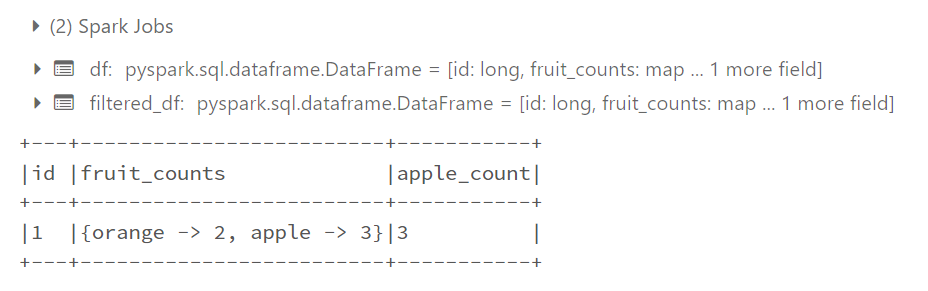
To access map values and filter rows based on specific criteria in PySpark, you can use the getItem() function to get the value from the map column and the filter() method to pass the filter criteria to the DataFrame. Below is an example showing how to access map values and filter rows in PySpark.
Output:
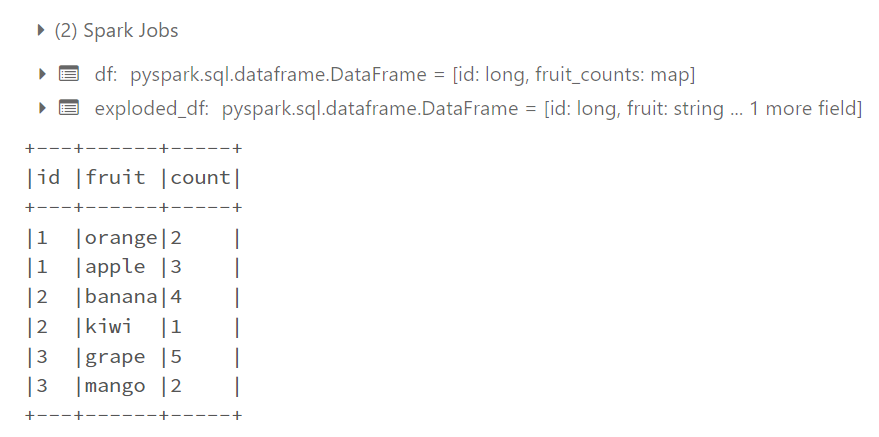
To explore a MapType column in PySpark, we can use the explode function provided by PySpark's function module. The Explosion() function is used to transform a column of MapTypes into multiple rows. Each row represents a key-value pair in the map. Below is an example showing how MapType columns are resolved in PySpark.
Output:
To process data using Spark, essential modules are imported, enabling the creation of a SparkSession, definition of UDFs, column manipulation, and data type specification. With the SparkSession established, sample data represented as a list of tuples is transformed into a DataFrame with specified column names. A Python UDF is then defined to process map values, converting strings to uppercase, multiplying integers by 2, and setting other value types to None. The UDF is registered, specifying the return type as a MapType with string keys and values. The UDF is applied to the map column (Fruit_counts) using withColumn, resulting in a new column called 'processed_counts'. The DataFrame, now displaying the original column and the newly processed data, is printed for examination.
Output:
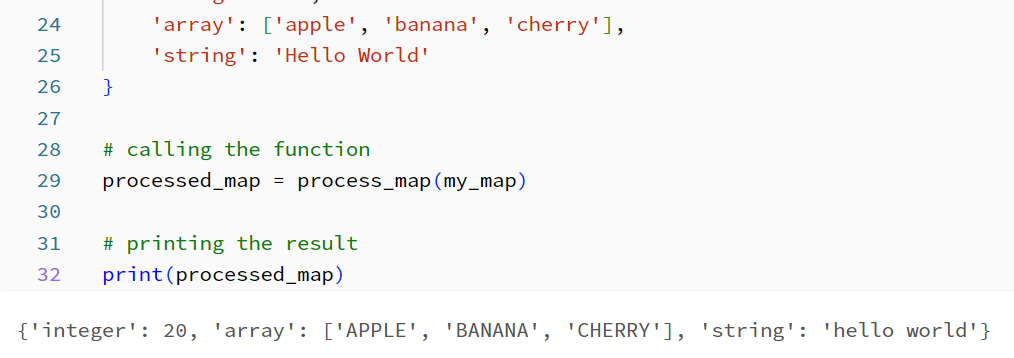
The function process_map takes a dictionary parameter called map_data, which represents the MapType. It accesses the 'integer' key from map_data using the get method and checks if the value is an integer using the isinstance function. If it's an integer, the function multiplies it by 2. Then, it retrieves the 'array' key and, if the value exists and is a list, it performs a specific operation on each element of the array (e.g., converting them to uppercase using a list comprehension). Similarly, the function retrieves the 'string' key, and if the value exists and is a string, it applies another operation (e.g., converting it to lowercase using the lower method). Finally, the modified map_data dictionary is returned, containing the processed values based on the specified operations.
By using this approach, you can handle different value types within a single map type and perform specific operations on each value based on its type.
Output:
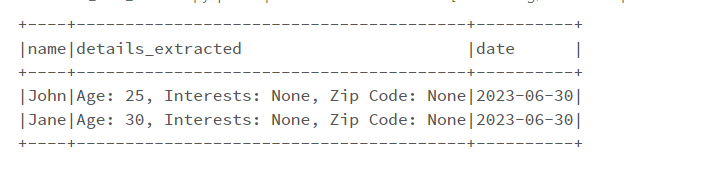
To begin data processing with Spark, a SparkSession is created. The JSON data is represented as a list of dictionaries. The DataFrame is created using spark.createDataFrame() to handle the JSON data. For specific data extraction from a map, a User-Defined Function (UDF) named extract_details is defined and registered using udf(). The UDF is applied to the 'details' column of the DataFrame using withColumn(), which results in a new column 'details_extracted'. From the DataFrame, the desired columns ('name', 'details_extracted', 'date') are selected with select(). The resulting DataFrame, containing the selected details, is displayed using show(). Finally, the Spark session is stopped to complete the data processing.
Output: