|
VOOZH | about |
|
VOOZH | about |
To handle error reporting in Django, you can utilize Django's built-in form validation mechanisms and Django's error handling capabilities. In this article, I'll demonstrate how to implement error handling. If there are errors in the form submission, the user will be notified of the errors.
Required Modules
To start the project use this command
django-admin startproject queryexpressionsproject
cd my_app
To start the app use this command
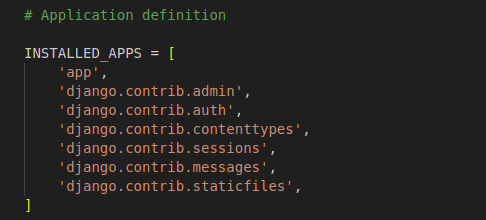
python manage.py startapp appNow add this app to the 'settings.py'
👁 Screenshot-from-2023-09-27-13-07-55
views.py: This code defines three view functions for a Django web application:
404.html
Create custom error HTML templates in the templates directory of your app. In this case, let's create error_404.html
505.html
Create custom error HTML templates in the templates directory of your app. In this case, let's create error_505.html
app/urls.py: This file is used to define the URLs inside the app.
urls.py: We set handler404 and handler500 to the custom error view functions we defined earlier (error_404 and error_500).
Now, when a 404 or 500 error occurs in your Django project, Django will use the custom error views and render the corresponding custom error pages you've defined.
Things to Remember
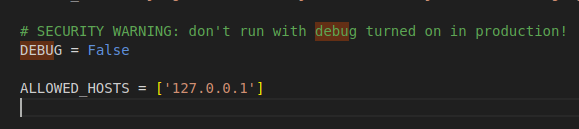
If you're seeing the default Django 404 page instead of your custom error_404.html template, it could be due to a few reasons. To ensure your custom 404 error page is displayed, please check the following:
Run these commands to apply the migrations:
python3 manage.py makemigrations
python3 manage.py migrate
Run the server with the help of following command:
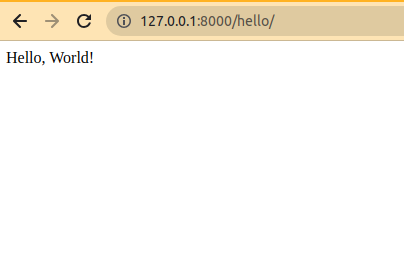
Output
As you can see that if we write correct URLs we can see the hello world page.
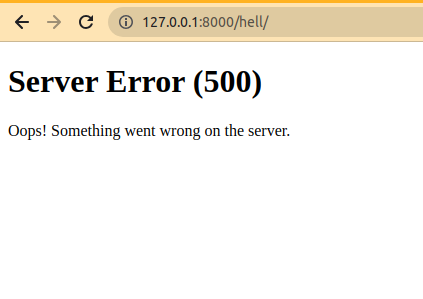
👁 Screenshot-from-2023-09-23-14-44-48Now you can see that we written wrong url and error page occured.
👁 Screenshot-from-2023-09-23-14-37-29