VOOZH about

URL: https://www.geeksforgeeks.org/python/python-opencv-bfmatcher-function/

⇱ Python OpenCV - BFMatcher() Function - GeeksforGeeks


  • Courses
  • Tutorials
  • Interview Prep

Python OpenCV - BFMatcher() Function

Last Updated : 23 Jul, 2025

In this article, we will be going to implement Python OpenCV - BFMatcher() Function.

Prerequisites: OpenCV, matplotlib

What is BFMatcher() Function?

BFMatcher() function is used in feature matching and used to match features in one image with other image. BFMatcher refers to a Brute-force matcher that is nothing, but a distance computation used to match the descriptor of one feature from the first set with each of the other features in the second set. The nearest is then returned. For each descriptor in the first set, this matcher finds the closest descriptor in the second set by trying each one. This descriptor matcher supports masking permissible matches of descriptor sets. So in order to implement the function, our aim is to find the closest descriptor from the set of features of one image to the set of features of another image.

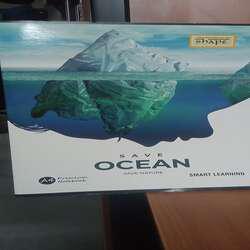
Sample input images:

👁 Python OpenCV - BFMatcher() Function
image1
👁 Python OpenCV - BFMatcher() Function
image2

Installation of required modules:

To install prerequisite modules, run the following commands in command prompt or terminal.

pip install opencv-python==3.4.2.16
pip install opencv-contrib-python==3.4.2.16
pip install matplotlib

Code Implementation:

Explanation:

  • In lines 3 and 4 we are taking two images as input.
  • The BFMatching method:
    • We created initiated our sift detector "feat" by which we will compute the key points of the input images. Here we have created the detector for detecting 5 key points from each image by giving the parameter 5 to the cv2.ORB_create() method.
    • Then we initialized our BFMatcher() function with default arguments.
    • df.knnMatch() method will find all the matches and store them in the matches array.
    • Then the drawMathchesKnn() method will draw the matches that are created by the BFMatcher() 
    •  Next for the loop is selecting good matches as per our interest or criteria in this example we are assuming that a feature will be good if the distance of matched feature of image 1 is greater than the 0.98 X (the distance of the corresponding feature of the second image) and storing them into the array good[].

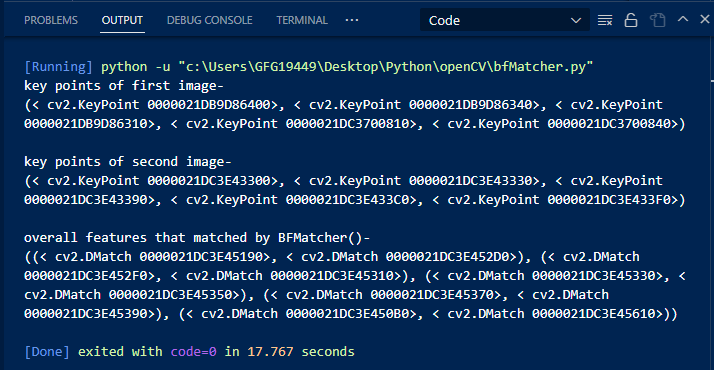
You can see the output. In the below output overall matches are 5. Whether the good features with our logic are 4. 

Output:

👁 Python OpenCV - BFMatcher() Function
 

We will see the output image that is plotted or shown by the program:

👁 Python OpenCV - BFMatcher() Function
output
Comment