Tkinter is Python's standard GUI (Graphical User Interface) library and OpenPyXL is a module that allows for reading and writing Excel files. This guide shows you how to create a simple registration form with Tkinter, where users enter their details and those details are written into an Excel file. This form will automatically store the information in a pre-existing Excel file.
Steps to create the registration form
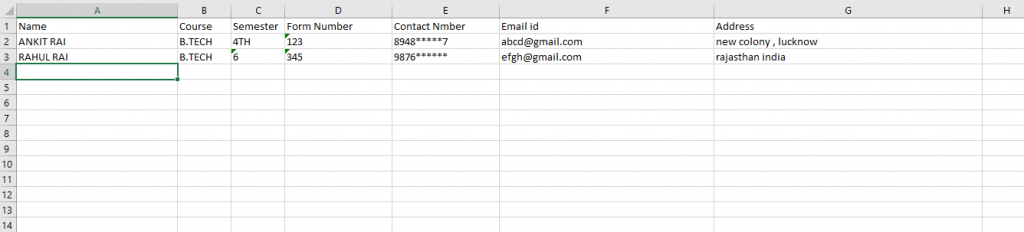
- Create an Excel file: Make sure you have an empty Excel file (excel.xlsx) created and accessible. This file will store the registration data.
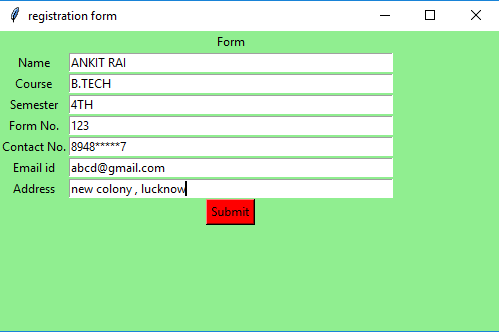
- Create the Tkinter Window: We'll build a basic form with fields like Name, Course, Semester, Form Number, Contact Number, Email and Address.
Python code
Output
👁 Image
👁 Image
Explanation:
- Loads an existing Excel file and sets up the active worksheet to store form data.
- init_excel() writes column headers (Name, Course, etc.) in the first row of the Excel sheet.
- Creates a Tkinter window with labeled input fields for user details like Name, Course, Contact, etc.
- On clicking the "Submit" button, the insert_data() checks if all fields are filled, then appends the data to the next row in the Excel file.
- Pressing Enter moves to the next input field and after submission, fields are cleared using clear_fields().
- The form window stays open using mainloop() until the user closes it.
Related Articles