|
VOOZH | about |
|
VOOZH | about |
In Python, conditional statements help control the flow of a program by executing different blocks of code based on whether a condition is true or false. These statements allow decision-making in code. The main types of conditional statements are:
Let’s go through each of them with examples.
An if statement is used when a block of code needs to be executed only if a specific condition evaluates to True.
if condition:
# Statements to execute if condition is true
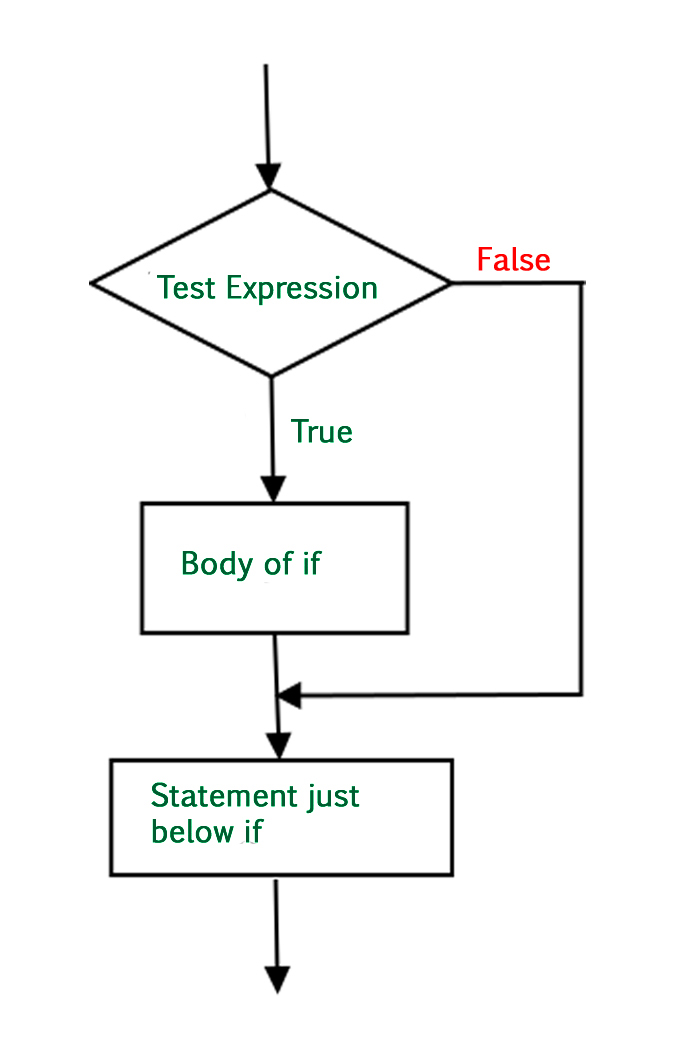
Below is the flowchart by which we can understand how to use if statement:
Example: In this example, if statement checks if 10 is greater than 5. If true, it prints "10 greater than 5"; regardless, it then prints "Program ended" as the next statement, indicating the program flow.
10 greater than 5
Program ended
Indentation (white space) is used to delimit the block of code. As shown in the above example, it is mandatory to use indentation in Python3.
In conditional if Statement the additional block of code is merged as else statement which is performed when if condition is false.
if (condition):
# Executes this block if condition is true
else:
# Executes this block if condition is false
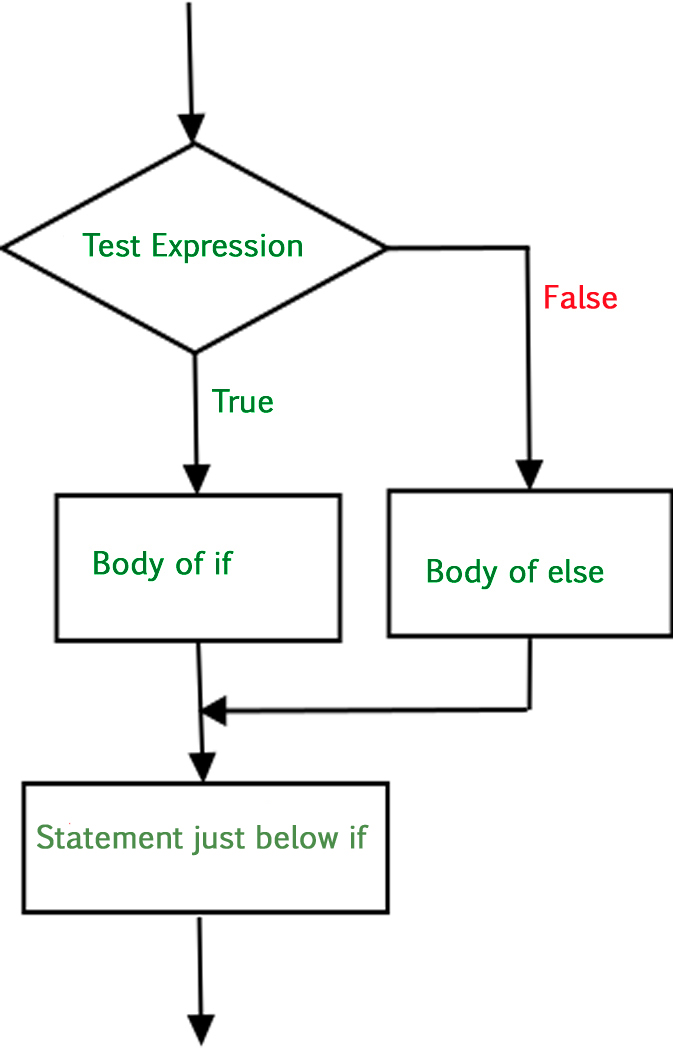
Below is the flowchart by which we can understand how to use if-else statement:
Example 1: In this example, code assigns value 3 to variable x and uses an if-else statement to check if x is equal to 4. If true, it prints "Yes"; otherwise, it prints "No," demonstrating a conditional branching structure.
No
Example 2: In this example, code uses a nested if-else chain to check value of the variable letter. It prints a corresponding message based on whether letter is "B," "C," "A," or none of specified values, illustrating a hierarchical conditional structure.
letter is A
if statement can also be checked inside other if statement. This conditional statement is called a nested if statement. This means inner if condition will only be checked if the outer if condition is True.
if (condition1):
# Executes when condition1 is true
if (condition2):
# Executes when condition2 is true
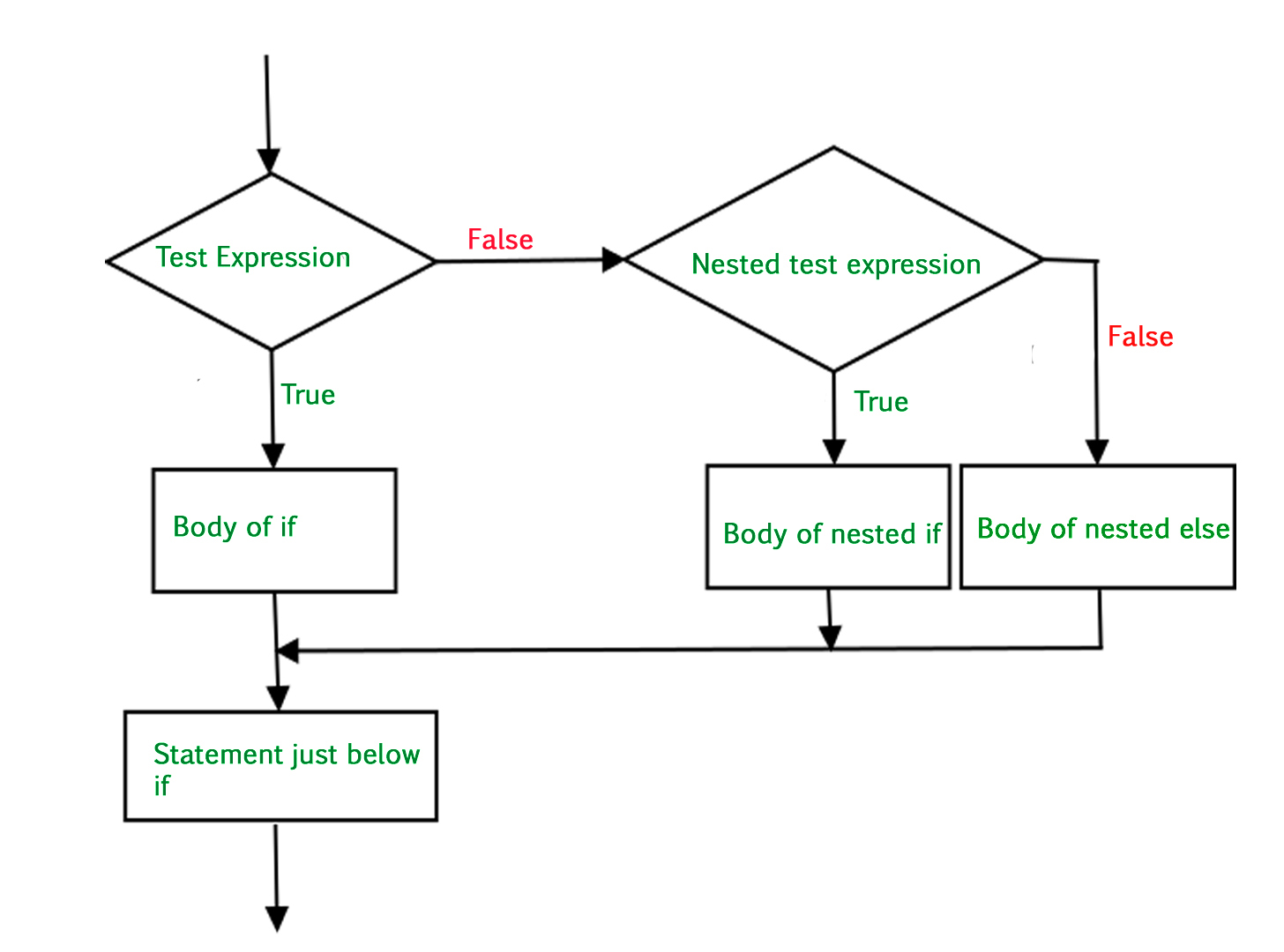
Below is the flowchart by which we can understand how to use nested if statement:
Example: In this example, code uses a nested if statement to check if variable num is greater than 5. If true, it further checks if num is less than or equal to 15, printing "Bigger than 5" and "Between 5 and 15" accordingly, showcasing a hierarchical condition for refined control flow.
Bigger than 5
Between 5 and 15
The if-elif statement is a shortcut for chaining multiple if-else conditions. While using if-elif statement at the end else block is added which is performed if none of the above if-elif statement is true.
if (condition):
statement
elif (condition):
statement
else:
statement
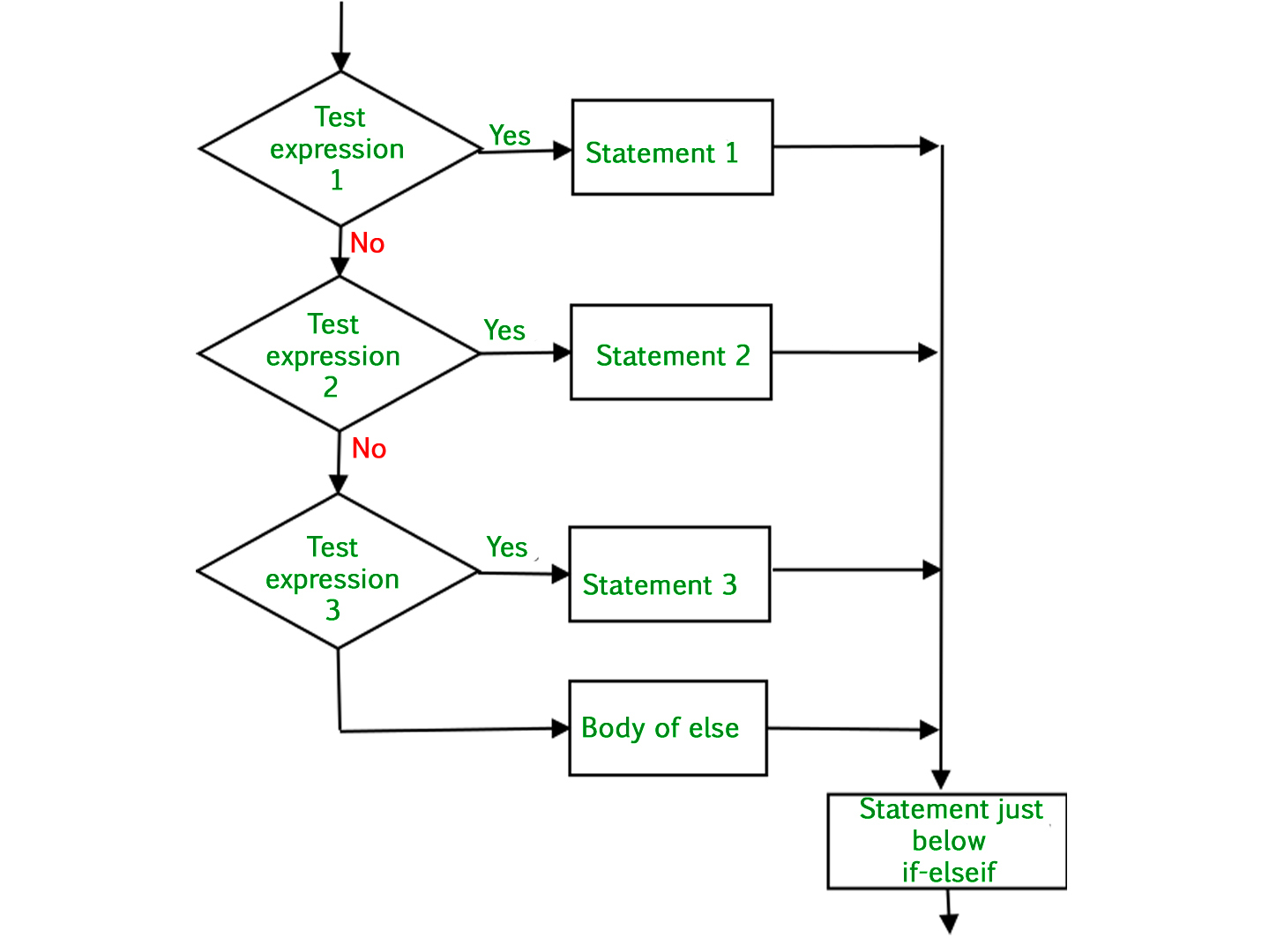
Below is the flowchart by which we can understand how to use elif:
Example: In this example, code uses an if-elif-else statement to evaluate value of the variable letter. It prints a corresponding message based on whether letter is "B," "C," "A," or none of the specified values, demonstrating a sequential evaluation of conditions for controlled branching.
letter is A
Using elif within nested if statements in Python allows for more complex decision structures within a branch of another decision.
Example: In this example, outer if checks whether x is greater than 5. Inside it, a nested if-elif-else structure evaluates value of y to give more refined control.
x is greater than 5 and y is 5
The structure of the above code provides conditional checks within another conditional check, enhancing the decision-making capabilities of your code.