VOOZH about

URL: https://www.geeksforgeeks.org/python/real-time-edge-detection-using-opencv-python/

⇱ Real-Time Edge Detection using OpenCV in Python - GeeksforGeeks


  • Courses
  • Tutorials
  • Interview Prep

Real-Time Edge Detection using OpenCV in Python

Last Updated : 11 Nov, 2025

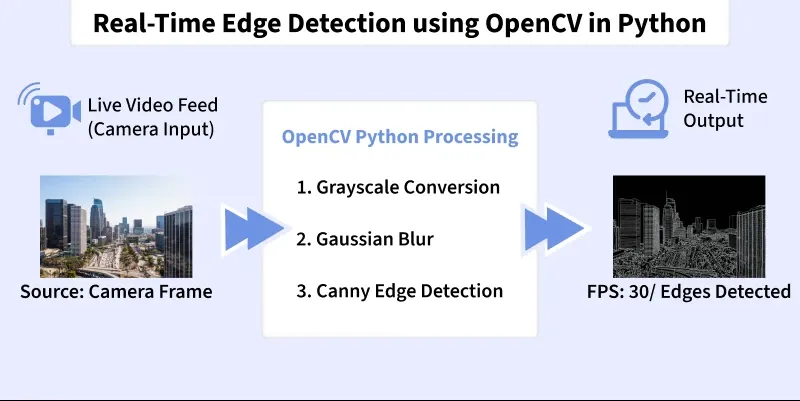
Edge detection is a computer vision technique used to identify boundaries in images. These boundaries highlight transitions in intensity. It makes it easier for algorithms to detect shapes, objects and structural features in real-time applications such as surveillance, robotics, medical imaging and self-driving cars.

👁 real_time_edge_detection_using_opencv_in_python
Training

Edge Detection Algorithms

OpenCV provides several built-in edge detection filters:

  1. Sobel Operator: Detects gradients in the horizontal and vertical directions.
  2. Laplacian Operator: Detects second-order derivatives to highlight regions of rapid intensity change.
  3. Canny Edge Detector: A multi-step, optimal edge detector that is most commonly used.

Implementation

Stepwise implementation of Real-Time Edge Detection.

Step 1: Install Required Libraries

Installing OpenCV for image video processing, NumPy for numerical computation and matplotlib for plotting.

Step 2: Import Modules

Importing required modules.

  • cv2 to access OpenCV video and image functions
  • numpy for array operations
  • time for live FPS measurement

Step 3: Setup Configuration Variables

Setting up paths for input video, output video and frame resolution.

Step 4: Create a Resize Helper Function

Resizing every frame to keep consistent processing speed and output size.

Step 5: Convert Frame to Grayscale

Converting frame to Grayscale as Edge detectors operate on intensity, not color.

Step 6: Apply CLAHE Local Contrast Enhancement

Applying CLAHE Local Contrast Enhancement to improve edges in poorly illuminated areas.

Step 7: Apply Edge-Preserving Bilateral Smoothing

Applying Edge-Preserving Bilateral Smoothing to reducing noise without blurring edges.

Step 8: Perform Dynamic Canny Edge Detection

Adaptive thresholds based on frame statistics.

Step 9: Extract Sobel and Laplacian Gradients

Sobel and Laplacian Gradients detects directional and fine-texture edges.

Step 10: Fuse Multiple Edge Maps

Combining strengths of different operators.

Step 11: Apply Morphological Closing

Morphological Closing closes small gaps for continuous edges.

Step 12: Apply Temporal Smoothing Across Frames

Temporal Smoothing reduces flickering over time.

Step 13: Overlay Detected Edges on Original Frame

Highlights edges in red while preserving details.

Step 14: Combine All Stages into process_frame()

Main pipeline executed for each frame.

Step 15: Open Video Stream and Create Writer

Video Stream and Create Writer reads input and prepares output file.

Step 16: Frame Processing Loop

Here, model reads then processes and writes each frame.

Step 17: Cleanup Resources and Save Output

Releases handles and downloads result in Colab.

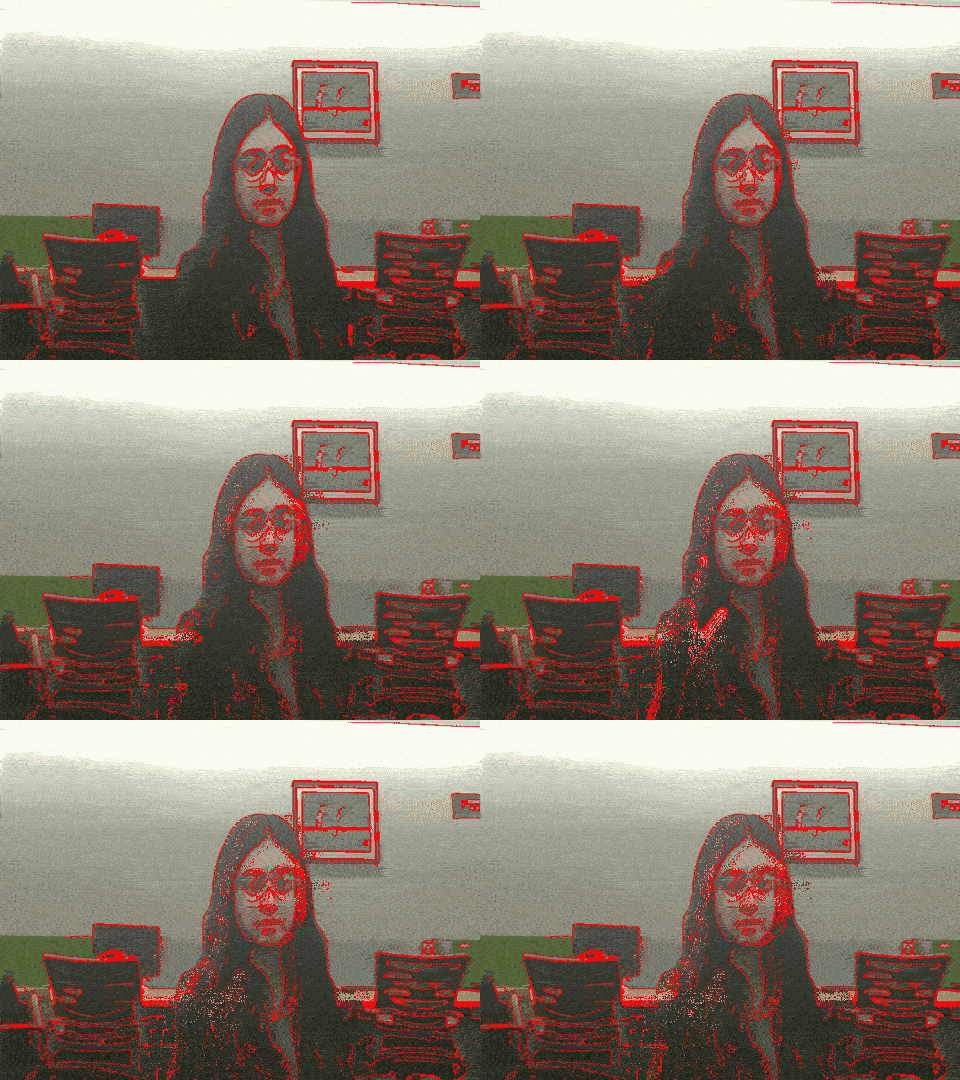
Output:

👁 edge_output
Result

You can download the source code from here.

Applications

Some of the applications of Real-Time Edge Detection are:

  1. Object Recognition: Helps detect the boundaries of objects to assist classification and contour extraction.
  2. Image Segmentation: Separates objects from the background by highlighting strong edge boundaries.
  3. Medical Imaging: Extracts fine structural details in X-ray, MRI and CT scans for diagnostic purposes.
  4. Autonomous Driving: Detects lane markings, road edges and traffic signs for safe navigation.
  5. Video Surveillance: Tracks moving objects and identifies suspicious activities using edge outlines.
  6. Optical Character Recognition (OCR): Identifies character outlines to improve text extraction accuracy.
Comment