|
VOOZH | about |
|
VOOZH | about |
An UpdateView is a built-in class-based view used to edit an existing record in the database. It automatically handles fetching the record, showing a pre-filled form, validating input, and saving changes.
Example: Consider a project named 'geeksforgeeks' having an app named 'geeks'. After you have a project and an app, let's create a model of which we will be creating instances through our view.
In geeks/models.py:
After creating this model, we need to run two commands in order to create Database for the same.
Python manage.py makemigrations
Python manage.py migrate
Now, create instances of this model using the Django shell by running the following command in the terminal:
Python manage.py shell
Next enter following commands:
>>> from geeks.models import GeeksModel
>>> GeeksModel.objects.create( title="title1", description="description1")
>>> GeeksModel.objects.create(title="title2", description="description2")
>>> GeeksModel.objects.create(title="title3", description="description3")
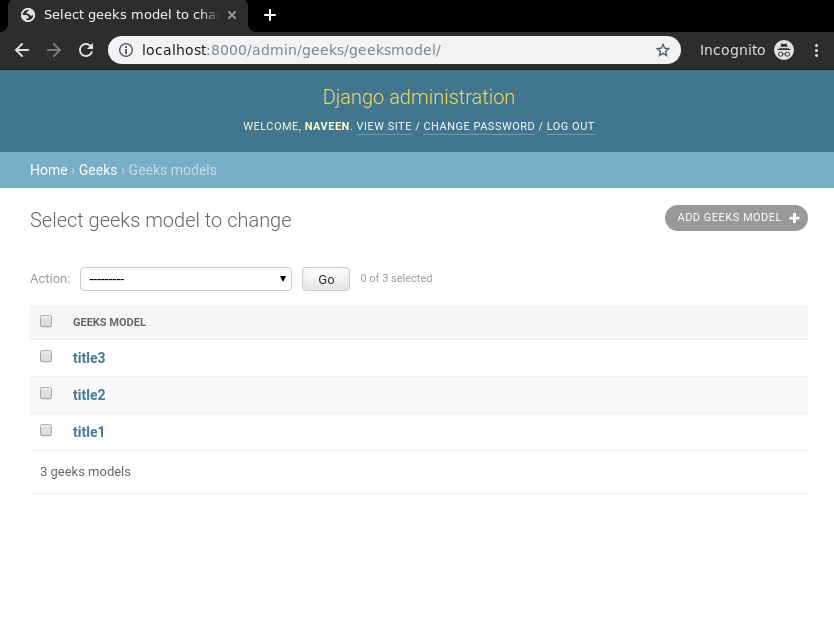
Now that the backend setup complete, verify that instances have been created by visiting:
👁 django-listview-check-models-instancesTo create an UpdateView, it is only necessary to specify the model. Django’s UpdateView will then look for a template named app_name/modelname_form.html. Here, expected template path is geeks/templates/geeks/geeksmodel_form.html.
Next, create the class-based view in geeks/views.py:
Now, create a url path to map the view in geeks/urls.py:
Next, create a template in templates/geeks/geeksmodel_form.html:
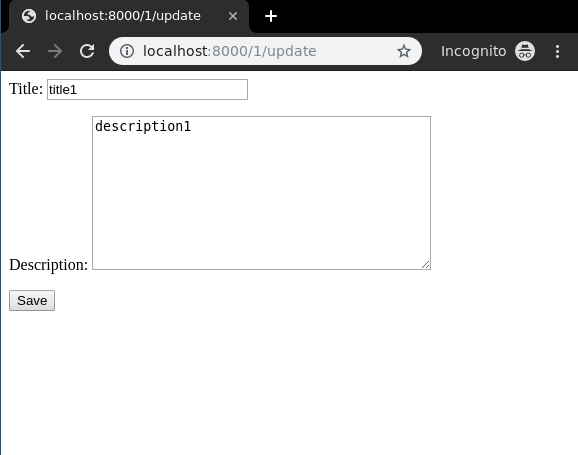
Now, visit the corresponding page to verify that the UpdateView is working as expected.
👁 django-updateview-class-based-view