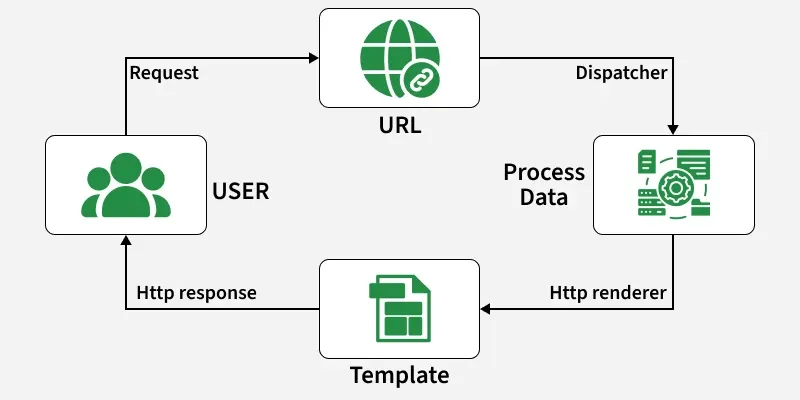
In Django's MVT architecture, views handle user requests and return responses. They act as a bridge between models (data) and templates (UI), deciding what the user sees in the browser.
A view is a Python function or class that receives an HTTP request, processes data, and returns a response. This response can be:
An HTML page (rendered from a template)
A redirect (to another URL)
An error (like 404 Not Found)
JSON, XML, images, or any browser-compatible content
Illustration of How to create and use a Django view using an Example. Consider a project named geeksforgeeks having an app named geeks.
After you have a project ready, we can create a view in geeks/views.py,
Let's step through this code one line at a time:
First, we import the class HttpResponse from the django.http module, along with Python’s datetime library.
Next, we define a function called geeks_view. This is the view function. Each view function takes an HttpRequest object as its first parameter, which is typically named request.
The view returns an HttpResponse object that contains the generated response. Each view function is responsible for returning an HttpResponse object.
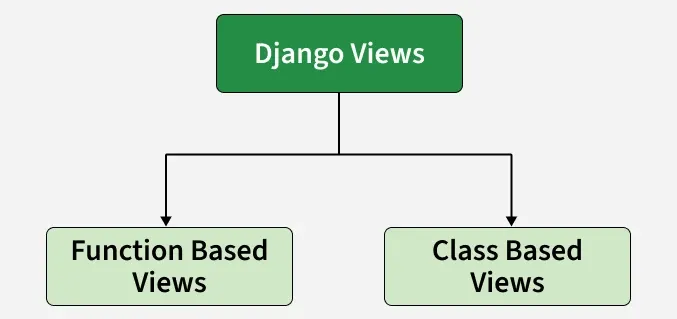
Django provides two main types of views to handle web requests and return responses:
Function-Based Views (FBVs): Written as Python functions. They are simple and ideal for small features or straightforward logic, such as displaying a list of items, handling form submissions, or showing a single detail page.
Class-Based Views (CBVs): Written as Python classes. They offer better organization, reusability, and support for object-oriented features. They are suited for complex applications, reusable components, or features that require handling multiple HTTP methods cleanly.
Both FBVs and CBVs can be used to implement CRUD operations. However, CBVs provide built-in generic views such as CreateView, UpdateView, DeleteView, and ListView, making CRUD implementation more efficient and less repetitive.
Applications and Features:
Function-Based Views are typically used for simple features, such as:
Displaying a list of items
Showing details of a single object
Handling basic form submissions
Class-Based Views are best for complex or reusable features, such as:
Generic CRUD operations
Multi-step forms
Features requiring multiple HTTP methods in a clean, organized structure