|
VOOZH | about |
|
VOOZH | about |
Django is a high-level Python based Web Framework that allows rapid development and clean, pragmatic design. It is also called batteries included framework because Django provides built-in features for everything including Django Admin Interface, default database – SQLlite3, etc. Today we will create joke app in django.
In this article we will make the wikipedia search app using django. For searching on wikipedia we will use "wikipedia" library in python.
Before starting, you need to install Django and the wikipedia library. Follow the commands below to install the required dependencies.
pip install django
pip install wikipedia
Now that the dependencies are installed, we can create the new Django project and the app within it.
Prerequisites:
Run the following command to create a new Django project called wikipedia_app:
django-admin startproject wikipedia_app
cd wikipedia_app
Inside the project, create a new app named main:
python manage.py startapp main
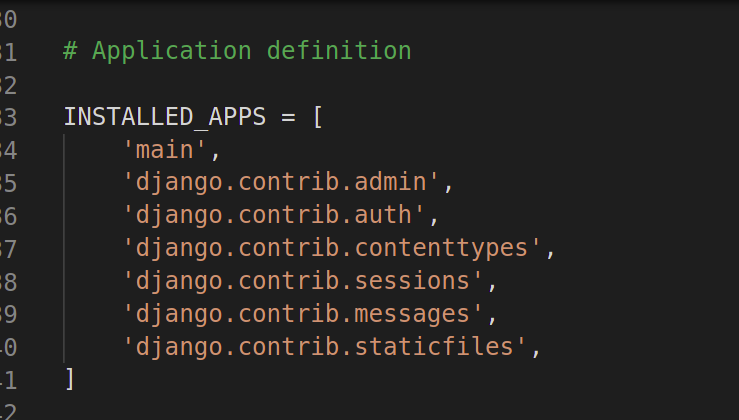
To enable the main app, we need to include it in the INSTALLED_APPS list inside the settings.py file. Open wikipedia_app/settings.py and add main to the INSTALLED_APPS list:
👁 ImageNow, we need to create a view that will handle the search functionality. We'll use the wikipedia library to get summaries from Wikipedia.
Edit views.py: Inside the main app, open the views.py file and create a view for the search form. This view will receive the search term via a POST request and return the search result from Wikipedia.
In the above code:
Next, we need to create the HTML template to display the search form and results.
Inside the main app, create a folder named templates and inside it, another folder named main. This is where we’ll store the HTML files.
Inside main/templates/main/, create a new file named index.html. This file will define the layout for the search form and display the result.
In this HTML:
Now, we need to set up the URLs for our app so that the view can be accessed through the browser.
Inside the main app, create a file named urls.py and define the URL pattern for the home view:
This maps the root URL (/) to the home view.
Next, open the main project's urls.py (located in wikipedia_app/urls.py) and include the main app's URLs:
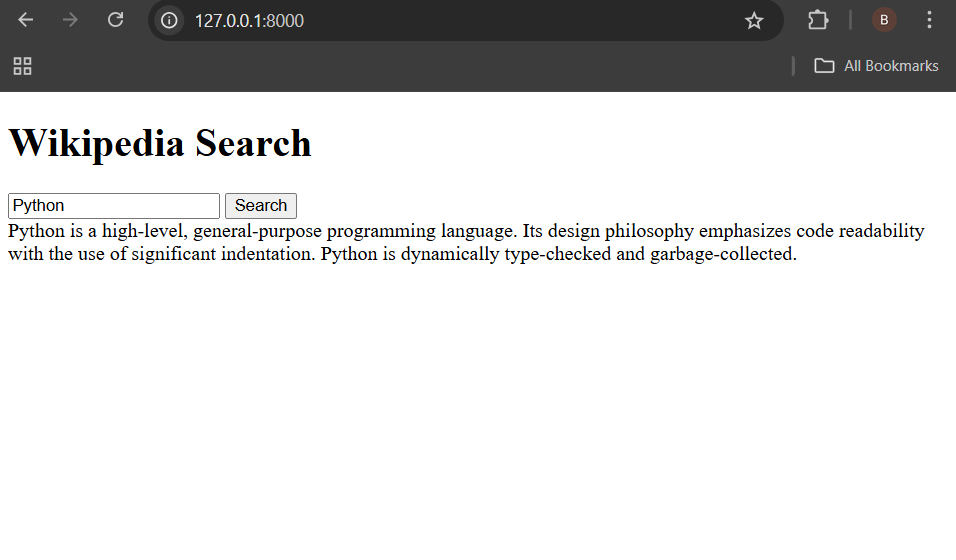
Now that everything is set up, it's time to run the Django development server and test the app.
python3 manage.py runserver