VOOZH about

URL: https://www.geeksforgeeks.org/python/wish-merry-christmas-using-python-turtle/

⇱ Wish Merry Christmas Using Python Turtle - GeeksforGeeks


  • Courses
  • Tutorials
  • Interview Prep

Wish Merry Christmas Using Python Turtle

Last Updated : 24 Dec, 2025

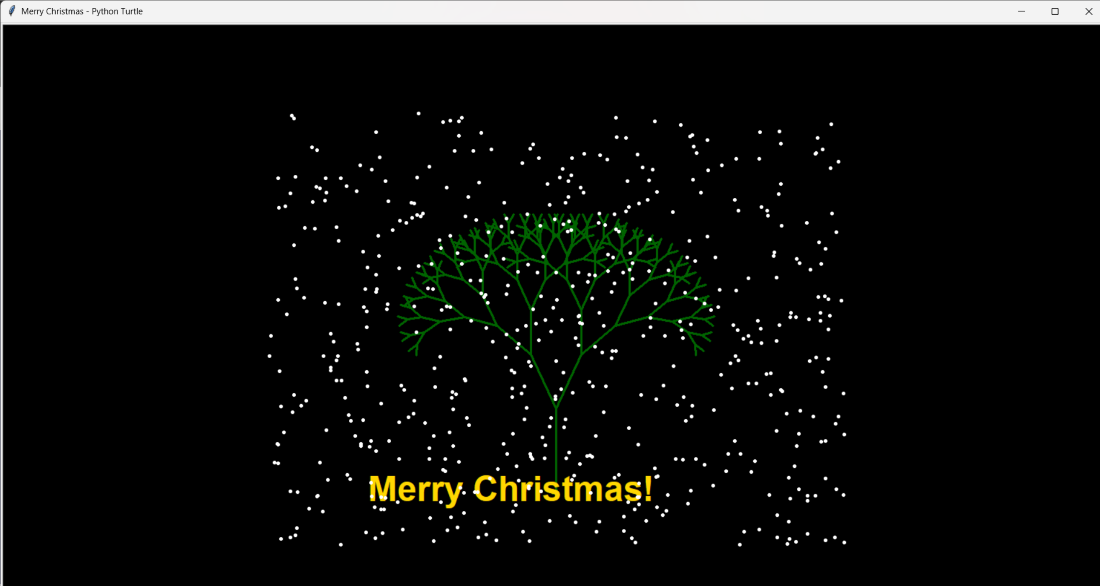
Python's turtle module is a simple yet powerful way to create graphics using code. In this article, we demonstrate how to draw a Christmas tree, display a "Merry Christmas" greeting, and animate falling snow using Python Turtle graphics.

This example combines recursion, text rendering, and basic animation to create a festive scene.

Approach

  1. Set up the Turtle screen with background color and title
  2. Draw a Christmas tree using recursion
  3. Display a "Merry Christmas" message on the screen
  4. Create multiple snowflake objects
  5. Animate snowfall using an infinite loop

Complete Python Code

Output:

👁 merry-christmas
Turtle Output

Explanation:

  • turtle.Screen() initializes the drawing window, while setup() and bgcolor() configure the screen size and background.
  • turtle.left(), penup(), backward(), and pendown() position the turtle at the base of the tree.
  • draw_tree() uses recursion to draw branches, where depth controls tree complexity and length reduces at each level.
  • turtle.forward(), left(), and right() create symmetrical tree branches.
  • A separate turtle (pen) is used with write() to display the Merry Christmas greeting.
  • create_snow() generates multiple snowflake turtles at random positions using random.randint().
  • snowfall() repositions snowflakes and draws dots to simulate falling snow.
  • while True: keeps the snowfall animation running continuously.

Related Articles

Comment
Article Tags:
Article Tags: