|
VOOZH | about |
|
VOOZH | about |
MKV (Matroska Video) is a multipurpose multimedia container format from Russia in 2002. It comes with an extended feature set including storing subtitles chapters as well as metadata, hence it is used to compress HD videos without losing quality. Apart from its popularity, MKV files sometimes act simply as inaccessible or feature playback problems.
In this article, We'll show how to fix Corrupted MKV Files.
A file with the (.MKV) extension is a video file that uses the AVI or MOV container format. Unlike them, it can store several video, audio, and subtitle tracks. MKV format is commonly used as a container for high-definition web videos. As a result, the DivX Plus program has chosen the MKV format as its primary video container format.
Running a CHKDSK scan helps identify and repair errors on the storage drive that contains the corrupted MKV file.
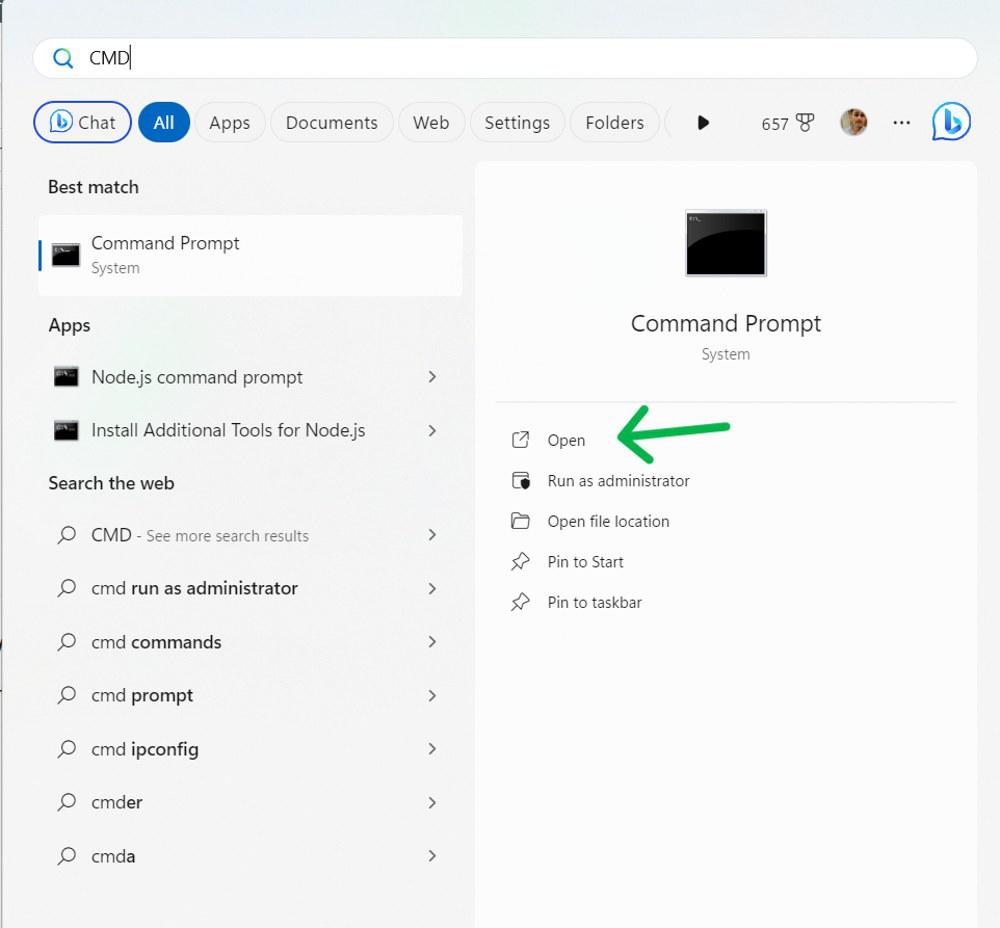
Step 1: Press Windows Key + S then on the search bar type "CMD" then run as administrator
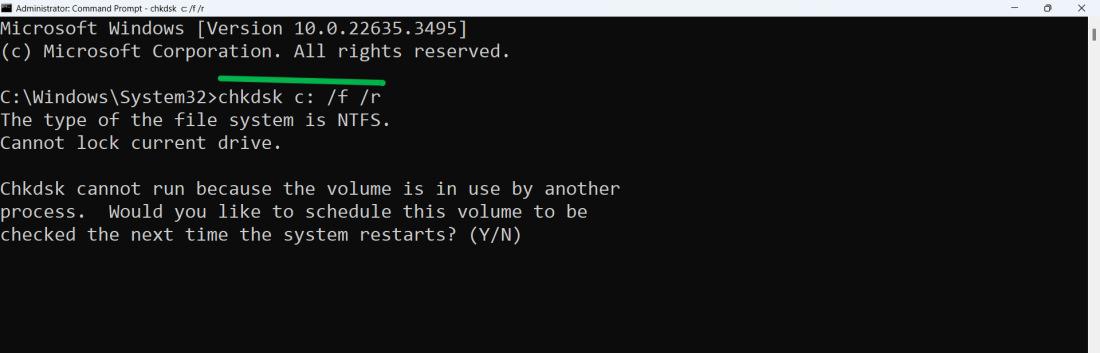
Step 2: In the CMD window, Type the following command and hit enter
chkdsk c: /f /r👁 How-to-Fix-Corrupted-MKV-Files
Step 3: Press "Y" when prompted, then wait for your PC to restart. The command will check for errors on the specified disk.
Incompatible or faulty video card drivers may cause MKV playback issues. Rolling back to a previous version of the drivers can potentially resolve the problem.
Step 1: Press Windows Key + S then on the search bar type "Device Manager" then open it
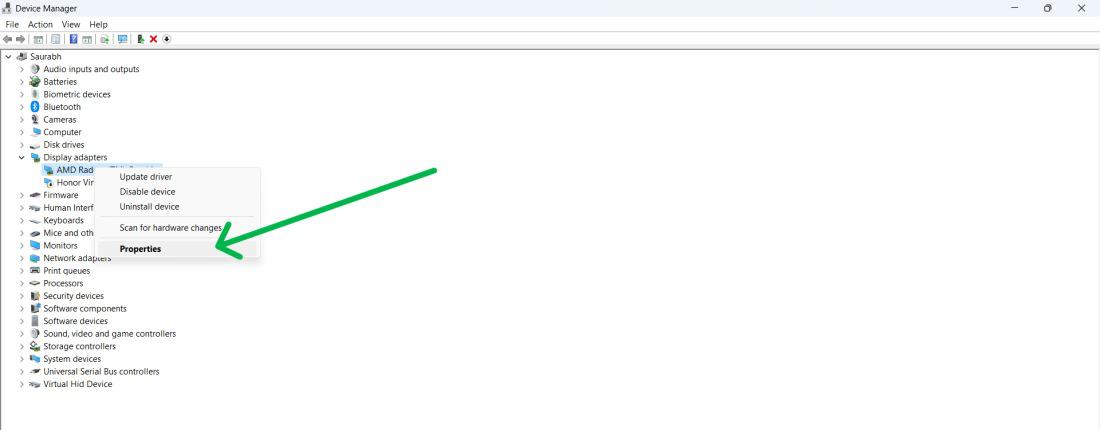
Step 2: Expand the Display adapters, then right-click on your video card and select Properties
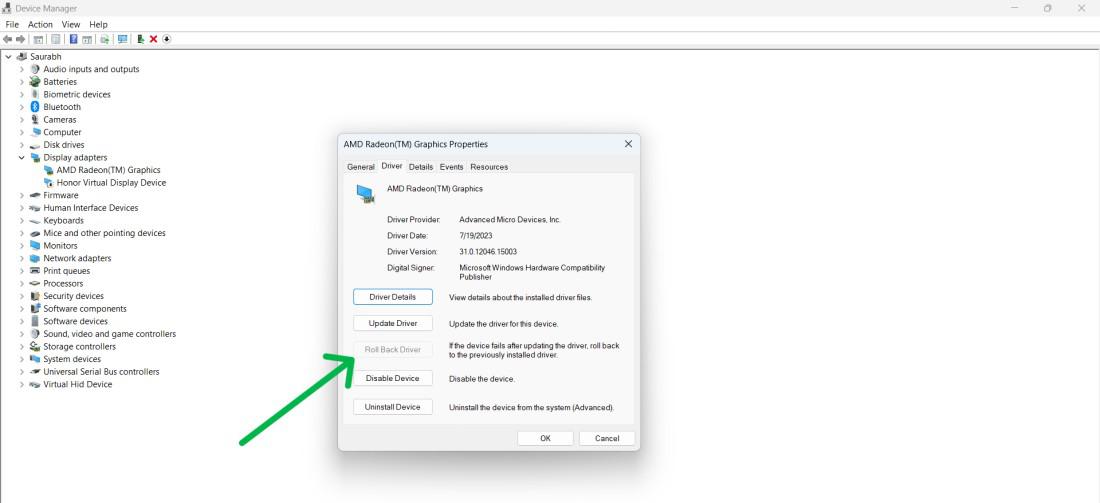
Step 3: Navigate to the "Driver" tab then click on "Roll Back Driver"
Step 4: Restart your computer
VLC, a free and versatile media player that can handle any file format including MKV is multipurpose. It has several built-in codecs to deal with the broken part of the file.
Step 1: Download and install the VLC media player.
To download the VLC go to this link and click on the download VLC button:
https://www.videolan.org/vlc/download-windows.html
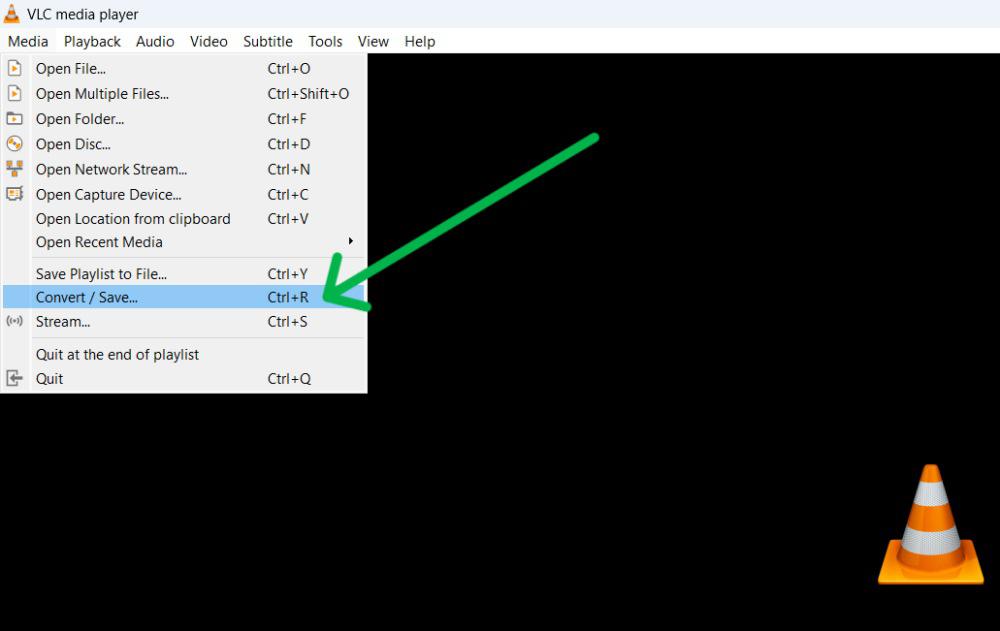
Step 2: Open the VLC media player then on the top left corner click on "Media" from the menu and select "Convert/Save"
Step 3: Then, click on the "Add" button
Step 4: Go to the broken MKV files, choose the one to repair, and click "Open." Then, hit "Convert/Save."
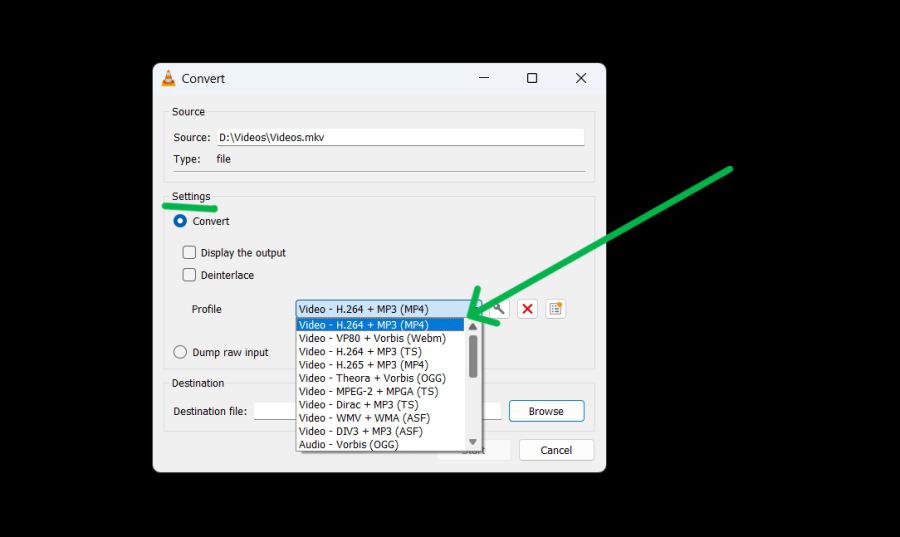
Step 5: Under the settings section, Click on the dropdown menu next to the profile
Step 6: From the dropdown menu select input codecs to use
Step 7: Then, Click on the "Start" button
Specialized MKV repair tools fix various types of corruption in MKV files, such as header damage or synchronization issues
Step 1: Download and install the MKV repair tool from this link:
https://download.wondershare.com/repairit_full5913.exeStep 2: Open the repair tool
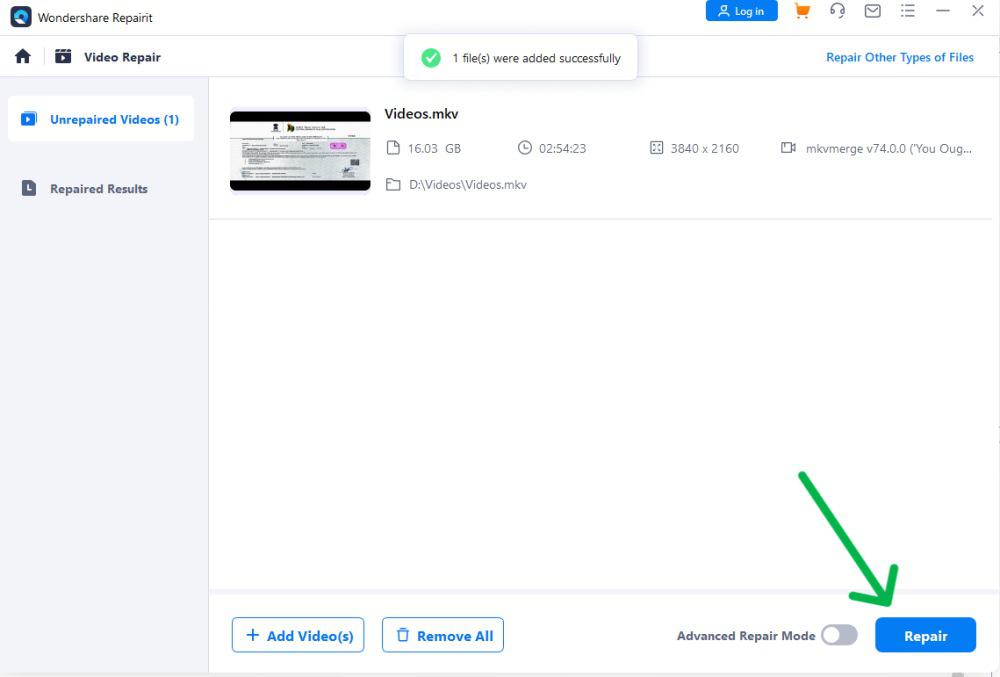
Step 3: Then, Click on the "ADD" button to add the damaged file
Step 4: From the list of videos select the video then click on "Repair"
👁 Repair-MKV-Files-Using-the-MKV-Repair-Tool
In Conclusion, Corrupted MKV files may be frustrating, but you can repair them and regain access to your multimedia content with the right methods. You can try several approaches: run a CHKDSK scan, roll back video card drivers, use VLC Media Player, or utilize specialized repair tools.