|
VOOZH | about |
|
VOOZH | about |
Setting up a LAMP stack in Linux is a fundamental task for creating a powerful web server environment. LAMP stands for Linux, Apache, MySQL, and PHP, and together they provide a robust platform for developing and deploying web applications. This guide will walk you through the process of installing and configuring each component of the LAMP stack on a Linux system, ensuring you have a fully functional web server ready for your projects.
Table of Content
We must install Apache web server, MySQL, and PHP to set up LAMP Stack in Linux. Before proceeding to see all the step-by-step process directly. Let's first check all the prerequisites to install the LAMP stack in Linux.
Step 1: Checking Linux Distribution
Make sure you have Linux all set and running. To check which Linux distribution you have installed use the following command:
command : grep -E '^(VERSION|NAME)=' /etc/os-releaseAnd follow the steps according to your installed Linux distribution.
Step 2: Upgrading Linux distribution to the latest packages.
We use the apt package manager to update and upgrade Ubuntu/Debian-based systems.
apt update will update all the packages to the latest versions and apt upgrade will download and install the required packages.
command : sudo apt update && sudo apt upgradeIn the fedora-based Linux distribution, we use dnfpackage manager.
dnf RHEL-based update which makingRHEL-basedupdate command will update repositories and download and install necessary updates.
command : sudo dnf update -yOn Red Hat Enterprise Linux distributions we use the yum package manager.
Similar to the DNF, package manager, the yum update command will update repositories and download and install necessary updates.
command : sudo yum update -yStep 1: Install Apache Web Server using the package manager
Fedora-based
Command: sudo apt install apache2 -yRHEL-based
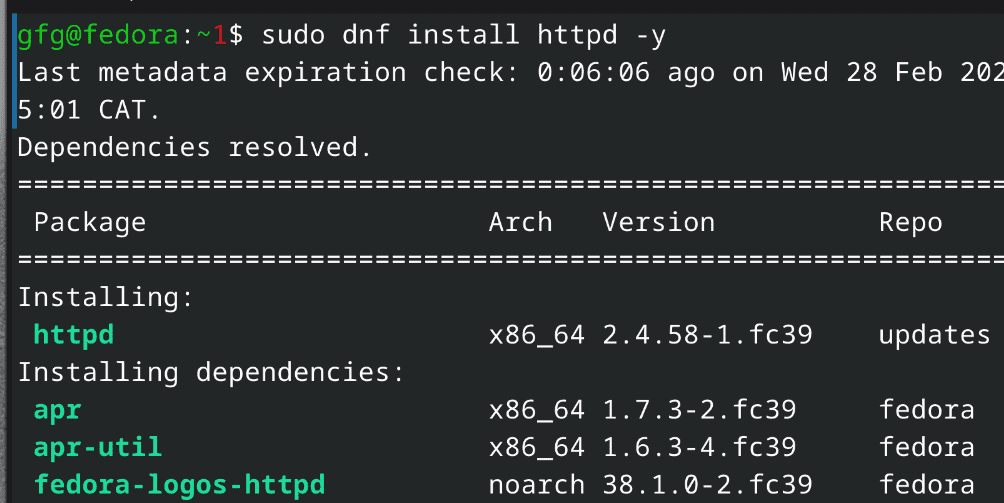
Command: sudo dnf install httpd -yCommand: sudo yum install httpd -yStep 2: Enable services
We will use the systemctl command to manage all Apache servers' or Debian-based services.
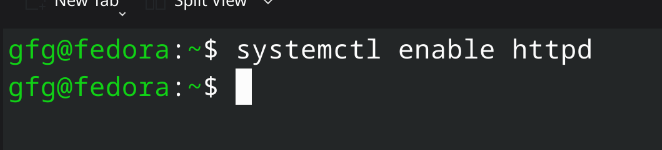
Command: sudo systemctl enable apache2Command: sudo systemctl enable httpd.serviceCommand: sudo systemctl enable httpd.serviceStep 3: Verify Apache Web Server Installation
To verify Apache Web Server installation, use the -v command.
Command: apache2 -vCommand: httpd -vCommand: httpd -vStep 1: Install MariaDB using the package manager
Command: sudo apt install mariadb-server mariadb-clientCommand: sudo dnf install mariadb mariadb-server -yCommand: sudo yum install mariadb mariadb-server -yStep 2: Starting Services for MariaDB
Start required services for MariaDB using systemctl command
Command:
sudo systemctl start mariadb
sudo systemctl enable mariadbStep 3: Verify MySQL Installation
To verify MySQL installation, use the --version command.
Command: mysql --versionStep 1: Install PHP
command : sudo apt install php -ycommand : sudo dnf install php -ycommand : sudo yum install php -yStep 2: Verify installation
To verify php installation, use the --version command.
Command: php --version Setting up a LAMP stack in Linux is a straightforward process that provides a solid foundation for web development. By following the steps outlined in this guide, you can successfully install and configure Linux, Apache, MySQL, and PHP on your server. With a properly set up LAMP stack, you'll be well-equipped to develop, test, and deploy web applications efficiently and effectively.