|
VOOZH | about |
|
VOOZH | about |
Nowadays, it is a necessity to have a Strong Password to safeguard your online accounts. However, it becomes a very tedious task to remember them. In such a scenario, the Apple iCloud Keychain comes into action.
The Keychain on Apple iCloud not only helps to remember passwords but also helps to figure out some random strong passwords. This article is intended to discuss the process to Manage Passwords with Apple Keychain.
Table of Content
In simple terms, the iCloud Keychain on Apple is nothing but an In-Built Password Manager. The Keychain on Apple is available on every Mac device like Macbook, iPhone, iPad, etc. The task of the iCloud Keychain is to Sync Password through different devices where the Apple ID is enabled.
That means, if any Password is getting saved on any Mac device with a certain Apple ID, the same will be available on other devices where the same Apple ID is enabled. Not only save Online Account Passwords, but the Keychain can also save Credit Card Information, Wi-Fi Passwords, etc. Let us check some of the features of Keychain.
To Manage Passwords on iCloud Keychain, we have to first Enable Keychain Application. Let us check the steps needed for the iPhone first, later we will discuss the steps for Mac.
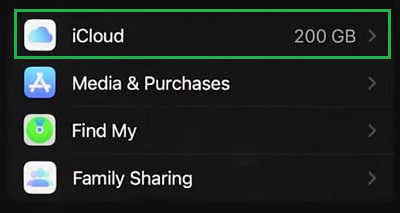
Step 1: Open Settings and tap on your Apple ID. Now, go for the iCloud Option.
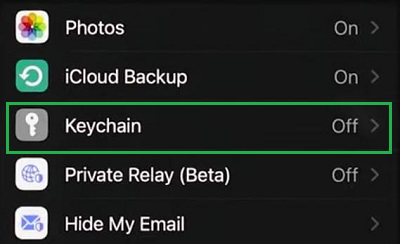
Step 2: Now, select the Keychain option.
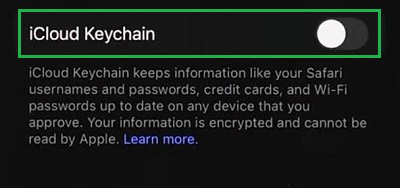
Step 3: Click on the button to Enable the service.
Note: On Mac, the Keychain service is already enabled. We have to find out the Keychain Application to access it.
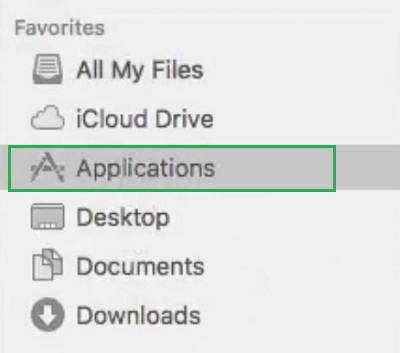
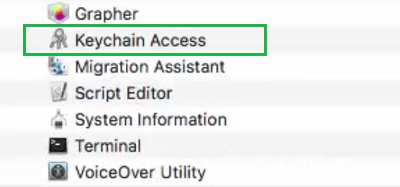
Step 1: Open Finder & go to the Applications.
Step 2: Click on the Keychain Access option.
Now, if you want to get Suggestions from iCloud Keychain for Strong Passwords, the following steps should be used. Let us check the steps for iPhone first.
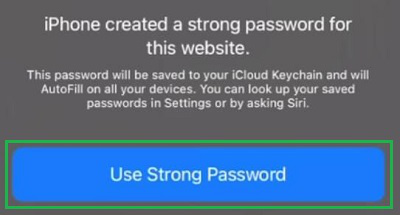
You have to first Tap on the Password Field. You will get an instant prompt option and you have to go for the Use Strong Password. And the password will be filled by the Keychain itself.
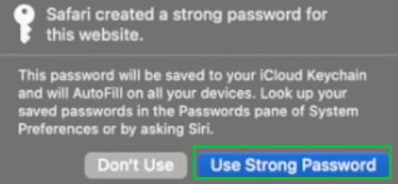
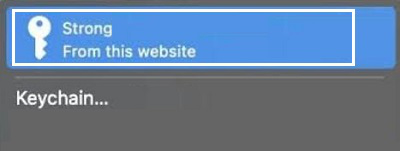
As with the same in iPhone, we have to first click on the Password Field. And we will find a small window where we have to click on the Use Strong Password option. The password will be filled by Keychain.
If you have any Pre-defined Passwords, then you can save those passwords on the iCloud Keychain. To Save Passwords on Keychain of iCloud, the following steps should be used.
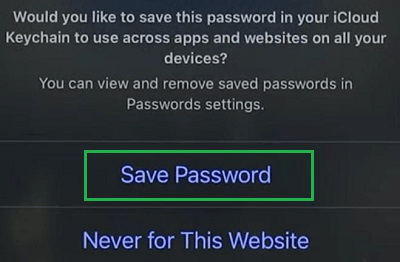
On any Password Field, when you will enter any Password by yourself, you will get some options below. You have to tap on the Save Passwords option to keep the password details on the Keychain.
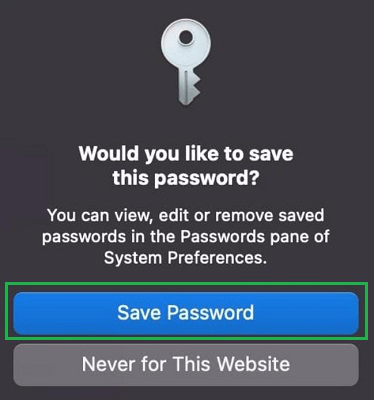
Just like the iPhone, once you enter the Password Details on Mac, you will get a small prompt window. Select the Save Password option from that window.
Not only Saving Passwords on Keychain, but it can also be used to Autofill Passwords. To Autofill Passwords with Apple Keychain, use the following strategies.
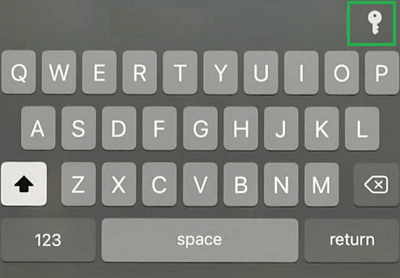
Once, you will tap on the Password Field, if the password is already saved, you will get the Keyboard Layer. From that layer, you have to click on the Keychain Symbol and saved information will be posted there.
On Mac, once you will click on the Password Field, you will get the window which will state the availability of the Stored Password. Just click on the details and the passwords will be filled.
In the end, we can say having iCloud Keychain Application on Apple makes our life easier to handle some Difficult Passwords and Usernames. Earlier, any individuals need to write them over any Paper or Notes to keep them reminded. But as can Manage Passwords with Apple Keychain such problems are removed.