
Use World Clock on Apple Watch to check the time in other locations
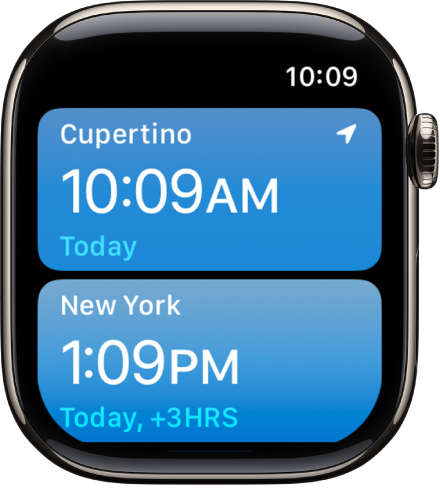
Use the World Clock app on your Apple Watch to check the time in cities around the globe.
Siri: Ask Siri something like, “What time is it in Auckland?” See Ask Siri to get information.
Add and remove cities in World Clock
Go to the World Clock app 👁 Image
on your Apple Watch.Tap 👁 the List button
, then tap 👁 the Add button
.Tap the city name to add it to World Clock.


To remove a city, swipe left on its name in the city list, then tap 👁 the Delete button
.

The cities you add on your iPhone also appear in World Clock on your Apple Watch.
Check the time in another city
Go to the World Clock app 👁 Image
on your Apple Watch.Tap 👁 the List button
, then turn the Digital Crown or swipe to scroll through the list.Tap a city to see more information, like the time of sunrise and sunset.
To change the time in a city and compare it to your current location, turn the Digital Crown.
When youʼre finished, tap 👁 the List button
to return to the city list.
If there’s a city whose time you’d always like to see, you can add a World Clock complication to your watch face and choose the city to display.
Change city abbreviations
You can change a city abbreviation used on your Apple Watch.
Go to the Apple Watch app on your iPhone.
Tap My Watch, tap Clock, then tap City Abbreviations.
Tap any city to change its abbreviation.