|
VOOZH | about |
|
VOOZH | about |
Bootstrap 5 Alerts Link Color class is used to set the color of the alert element. There are different kind of alerts that indicates different things, if there is a success then the color of the alert will be green, if it's a failure then it should show a red color alert. Each color of the alert represents something. Alert color should be its name, but we are using color on Alert Link so there will be a mixup with color according to the name on the documentation.
Prerequisite: Bootstrap 5 Alert Component, to create alert - for that we can use alert.
Alerts Link color Classes:
Syntax:
<div class="alert alert-primary" role="alert">
 ... <a href="#" class="alert-link">...</a>
</div>
Below example illustrate the Bootstrap 5 Alerts Link color:
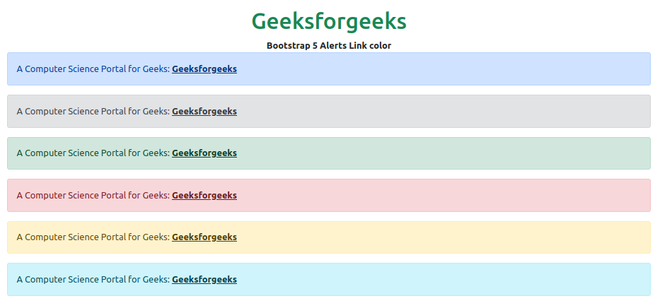
Example 1: In this example, we will use six informative Alert Link Color classes.
Output:
Example 2: In this example, we will use light and dark alert classes for color and one alert will be without a Link color class only the Alert-Link, because of that linked text will be rendered in blue color.
Output:
Reference: https://getbootstrap.com/docs/5.0/components/alerts/#link-color