|
VOOZH | about |
|
VOOZH | about |
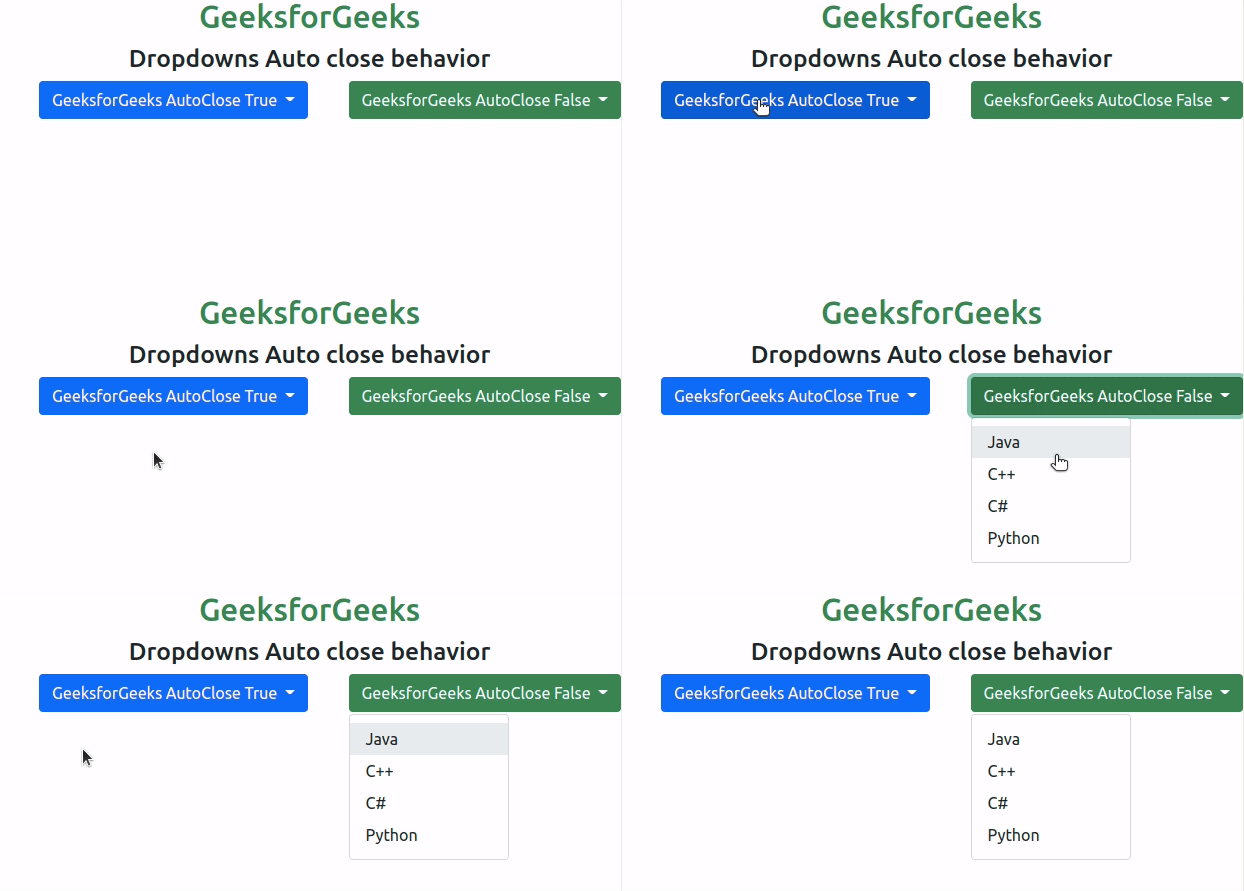
Bootstrap 5 Dropdowns Auto close behavior is used to make the dropdowns close when we click outside of that dropdown or that particular button. Getting close when the user clicks outside is a necessary feature that every dropdown should have.
Bootstrap 5 Dropdowns Auto close behavior Class: There is no pre-defined class to close the dropdown automatically by clicking outside. There is an attribute called data-bs-auto-close that can perform the tasks.
Bootstrap 5 Dropdowns Auto close behavior Attribute:Syntax: The * can be substituted with any of the values like true, false, inside, or outside.
<div class="btn-group">
 <button class="btn dropdown-toggle" type="button"
 data-bs-toggle="dropdown" data-bs-auto-close="*" >
 ...
 </button>
</div>
Below examples illustrate the Bootstrap 5 Dropdowns Auto close behavior:
Example 1: In this example, we will learn about autoClose true and false options
Output:Example 2: In this example, we will learn about autoClose inside and outside options
Output:Reference: https://getbootstrap.com/docs/5.0/components/dropdowns/#auto-close-behavior