|
VOOZH | about |
|
VOOZH | about |
Bootstrap 5 Popovers methods enable manual control over the visibility of popover elements, allowing users to show or hide them as needed, enhancing interactivity and customization options within web applications.
Bootstrap 5 Popovers Methods:
| Method | Description |
|---|---|
| toggle | Toggles the visibility of a popover element. |
| show | Shows a popover element. |
| hide | Hides a popover element. |
| dispose | Disposes of a popover element. |
| enable | Enables a popover element to be visible. |
| disable | Disables a popover element from being visible. |
| toggleEnabled | Toggles a popover element's ability to be visible. |
| update | Updates the position of a popover element. |
| getInstance | Static method to get the popover element associated with the DOM. |
| getOrCreateInstance | Static method to get the popover element associated with the DOM, or create a new one if it doesn't exist. |
Syntax:
myPopover.popover_method()Let us understand more about this using some examples below:
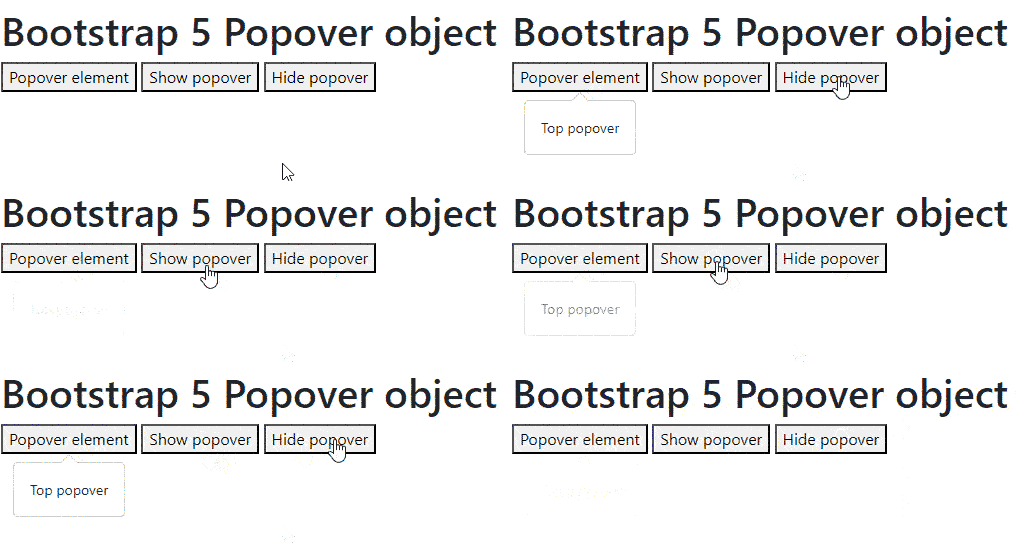
Example 1: In this example, we will show and hide the popover element using the "show" and "hide" methods given by the Bootstrap 5 Popover object.
Output:
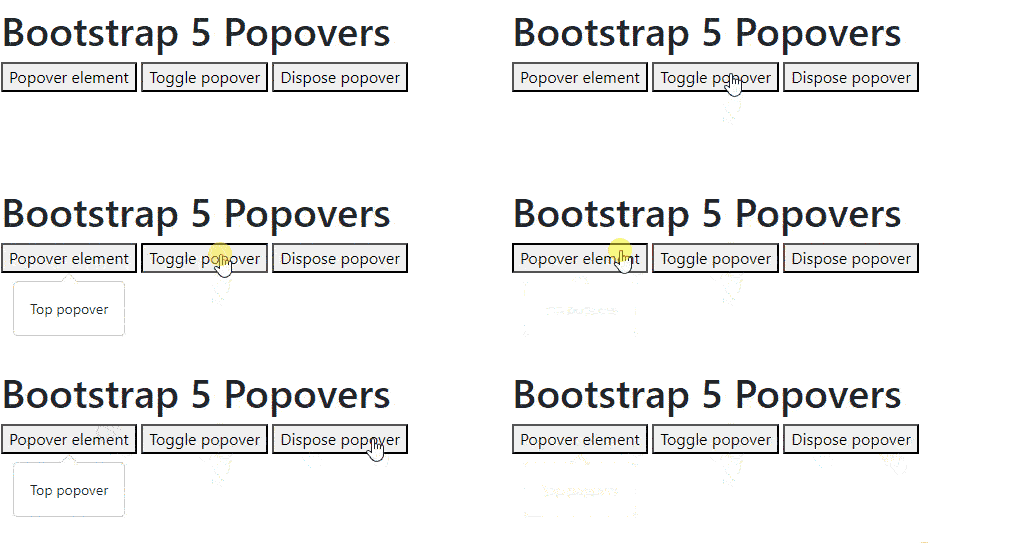
Example 2: In this example, we will toggle and dispose of the popover element using the "toggle" and "dispose" methods given by the Bootstrap 5 Popover object. Once we dispose of a popover element, we cannot use any methods given by the Bootstrap 5 Popover object as it gets destroyed in the DOM.
Output: