|
VOOZH | about |
|
VOOZH | about |
Bootstrap Text Font Size refers to predefined classes provided by the Bootstrap framework to adjust the size of text elements. These classes, such as `fs-1` to `fs-6`, allow easy control over text size, enhancing readability and visual hierarchy within web pages.
Bootstrap Text Font Size classes:
| Class | Description |
|---|---|
| fs-1 | Set text size equal to the h1 tag |
| fs-2 | Set text size equal to the h2 tag |
| fs-3 | Set text size equal to the h3 tag |
| fs-4 | Set text size equal to the h4 tag |
| fs-5 | Set text size equal to the h5 tag |
| fs-6 | Set text size equal to the h6 tag |
Syntax:
<tag class="fs-1">...</tag>The below example illustrates the Bootstrap Text Font size:
Example 1: In this example, we demonstrates the usage of Bootstrap Font Size classes (fs-1, fs-3, fs-5) to control the font size of text elements within a container.
Output:
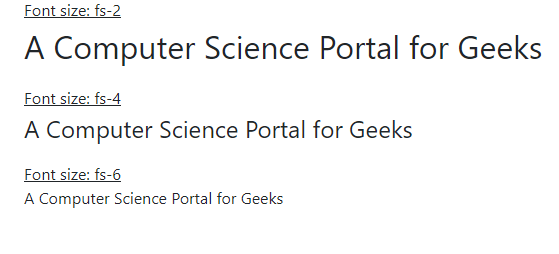
Example 2: In this example, we Bootstrap Font Size classes (fs-2, fs-4, fs-6) to adjust the font size of text elements within a container for improved readability and visual appeal.
Output: