|
VOOZH | about |
|
VOOZH | about |
Bootstrap 5 Tooltip is used to show some extra information to the user when the user hovers over the element. The Tooltip hide() method is used to hide a visible tooltip.
Syntax:
bootstrap.Tooltip.getInstance("#tooltip-ID").hide();Parameters: This method accepts a single parameter that holds the tooltip's id.
Return value: It returns to the caller before the hidden.bs.tooltip event of the tooltip triggers.
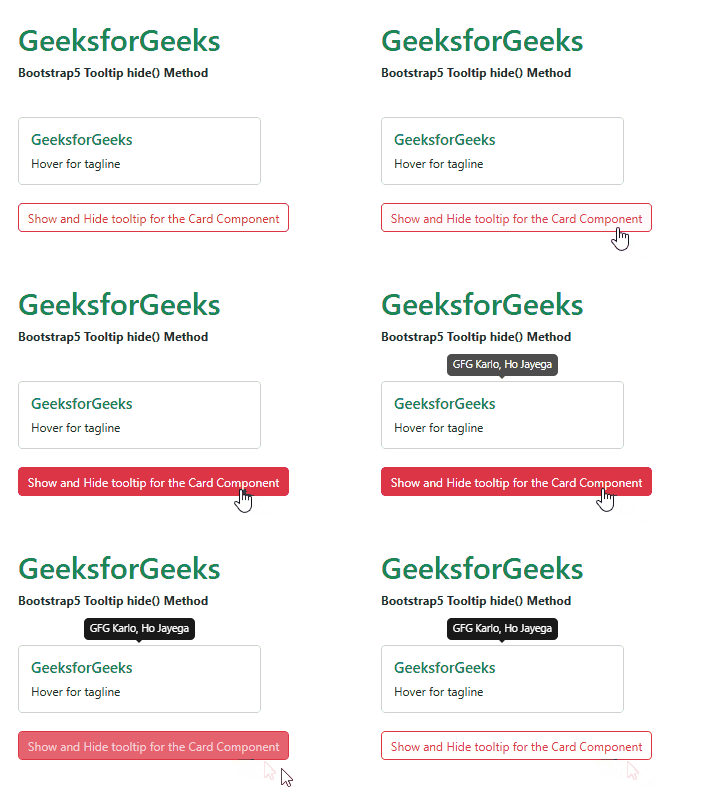
Example 1: In this example, we used the tooltip's hide() method to hide the tooltip 3 seconds after the button is clicked.
Output:
Example 2: In this article, we used a button with the show()and hide() methods of the tooltip to show a tooltip for 5 seconds.
Output:
Reference:https://getbootstrap.com/docs/5.0/components/tooltips/#enable