|
VOOZH | about |
|
VOOZH | about |
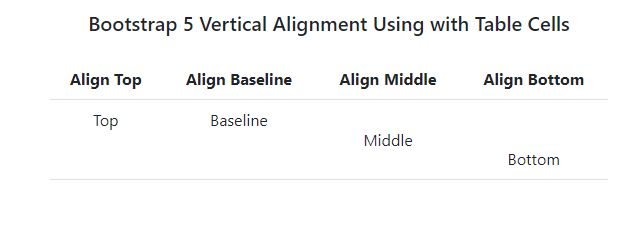
Bootstrap 5 Vertical Alignment facilitates aligning inline, inline-block, inline-table, and table cell elements vertically within their container. It offers classes for top, bottom, middle alignment, and stretching content to fill vertical space, enhancing layout flexibility in web development.
Bootstrap 5 Vertical Alignment Classes:
| Class Name | Description |
|---|---|
| align-baseline | Aligns the baseline of the element with the baseline of its parent. |
| align-top | Aligns the top of the element with the top of the line. |
| align-middle | Aligns the middle of the element with the middle of the parent. |
| align-bottom | Aligns the bottom of the element with the bottom of the line. |
| align-text-bottom | Aligns the bottom of the element with the bottom of the parent element's text. |
| align-text-top | Aligns the top of the element with the top of the parent element's text. |
Syntax:
<span class="align-top">....</span>Example 1: This example shows the use of vertical alignment classes to align span elements inside a paragraph.
Output:
Example 2: In this example, we show the use of the align-baseline, align-top, align-middle, and align-bottom classes using images.
Output: