|
VOOZH | about |
|
VOOZH | about |
Changing the navigation bar color in Bootstrap means customizing the appearance of the navbar by modifying its background, text, or other styling elements.
Below are the approaches to change the color of the navigation bar in Bootstrap:
Changing the text color: The text color of the navigation bar can be changed using two inbuilt classes:
| Class | Description |
|---|---|
| navbar-light | Sets text color to dark. Used with a light background. |
| navbar-dark | Sets text color to light. Used with the dark background. |
Bootstrap 4 has a few inbuilt classes for the colors of any background. These can be used to set the color of the background of the navigation bar. The various background classes available are:
| Class | Description |
|---|---|
| .bg-primary | Sets color to primary. |
| .bg-secondary | Sets color to secondary. |
| .bg-success | Sets color to success. |
| .bg-danger | Sets color to danger. |
| .bg-warning | Sets color to warning. |
| .bg-info | Sets color to info. |
| .bg-light | Sets color to light. |
| .bg-dark | Sets color to dark. |
| .bg-white | Sets color to white. |
| .bg-transparent | Sets navbar to transparent. |
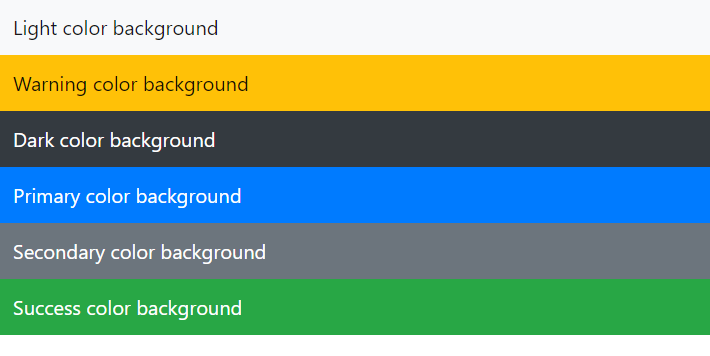
Example: In this example we demonstrates how to change the navigation bar color in Bootstrap using different background color classes like bg-light, bg-warning, bg-dark, bg-primary, bg-secondary, and bg-success.
Output:
A custom class can be created to specify the background color and the text color of the navbar. This class is styled using CSS according to the required values. The names of the classes are kept in a manner to override the inbuilt navigation bar classes.
The background color is set by directly specifying the background-color property with the color needed.
The navbar text and the brand text color can be set using the .navbar-text and .navbar-brand classes. These are the inbuilt navigation bar classes that are be overridden by using the same class name. The text color is specified using the color property.
Example:
Output: