|
VOOZH | about |
|
VOOZH | about |
Project Title : Innovate Email
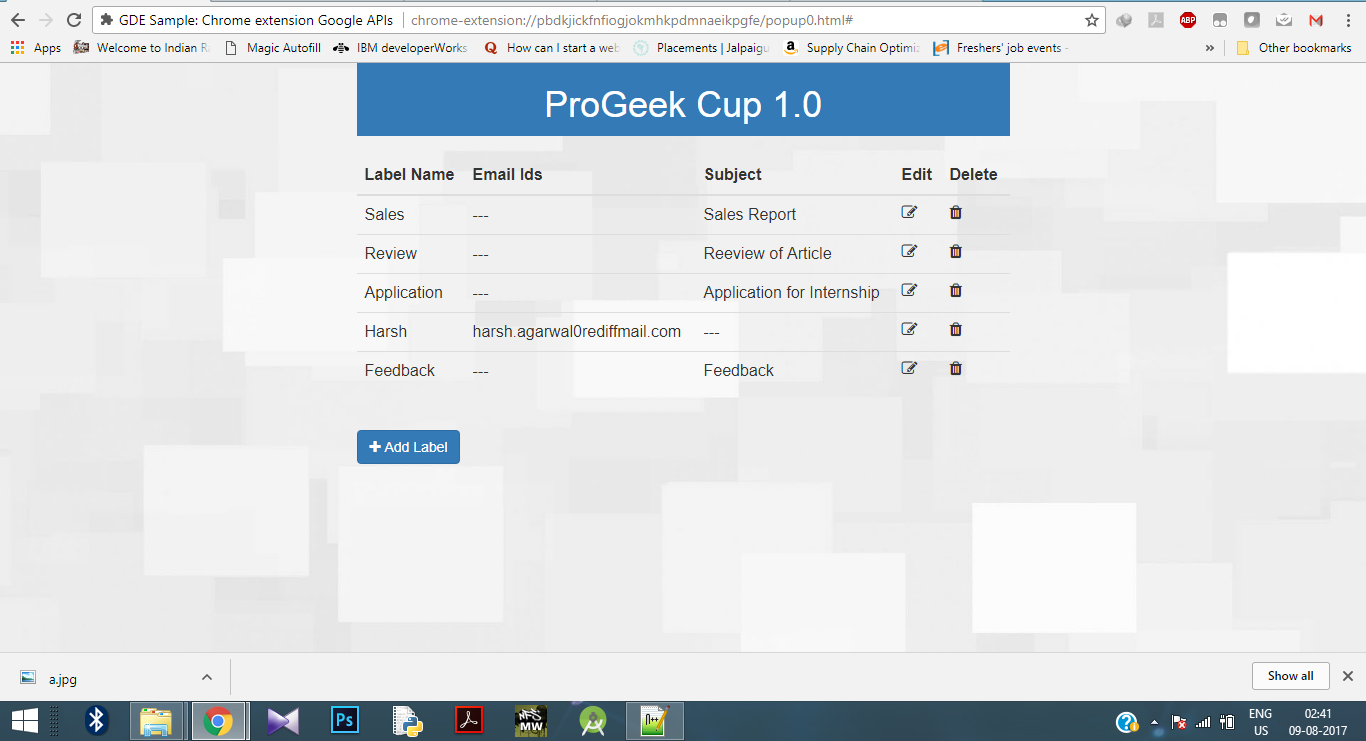
Introduction: Internet plays an important role in today's era in the field of communication or keeping people connected, whether it is with your college friends or with your principal or your project mentor etc. The difference between all of these conversations is the medium of communication like you may use facebook or any other social media website to connect to your friends but at the same time when you want to send a leave application to your principal then you must be using Email. This project aims to make the conversations through email more convenient. Email is mostly used as a communication method inside an organization. The people at higher position in an organization receives a lot of mails daily from other people in the organization and they also have to keep track of these emails and reply to these emails regularly. But what if you receives around 100 emails from specific person or according to a specific subject line daily and you want to process some of these emails later. It will be hard for you to keep track of these mails. You might manually move these mails under a specific label to keep track of unprocessed emails. So, we have developed this project to keep track of emails easily. In this project we have developed a chrome extension for Gmail. You just need to provide name of a label and an email address or subject line(Subject of emails) to this extension. Now, whenever you will receive an email from that specified email or subject line, your emails will be automatically moved under the specified label. Now suppose you are a sales manager of a company and there are 10 other employees working under you. Now you must be receiving lots of emails from these 10 specific persons on a daily basis. It might happen sometimes that you want to process some of the emails later. So, what you can do is you can create 10 different labels with the name of persons and provide these names of labels and email ids of these persons in the extension. Now whenever you will receive an email from any of these persons, the mail will be automatically moved under specific label. Now as there are comparatively much less emails under these labels than your inbox and also there will be count of unread emails with the label name under a specific label, it will be more easy for you to keep track of emails received.Flow Diagram
👁 ImageImplementation
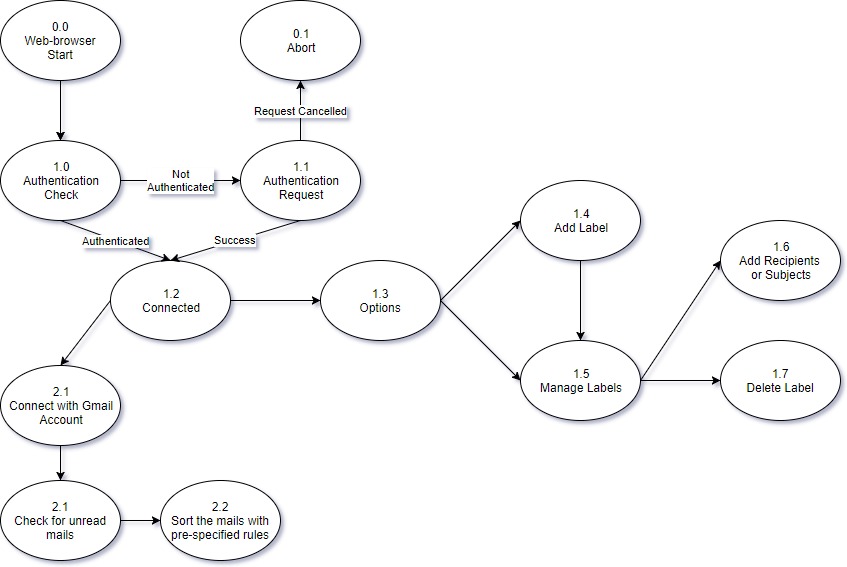
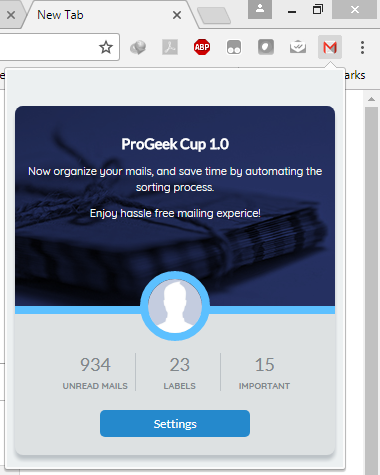
The above flow diagram completely explains the working of this extension. When the user first installs this extension in their chrome browser then the extension will show a pop-up message to authenticate Gmail account. After pressing yes, the user will be carried through the authorization process. Once the user is successfully authorized then on clicking the extension's icon in tool bar, they will see a pop up screen as shown below: 👁 Image